shadcn.io is an independent project built on shadcn/ui
A package icon, the title No products available, and two sentences: this category is empty, so check back or browse other categories.
Use it when people need the reason, not just the title. If they can add a product, put that on a Button. In React, Ark UI does not explain the empty category.
Installation
Anatomy
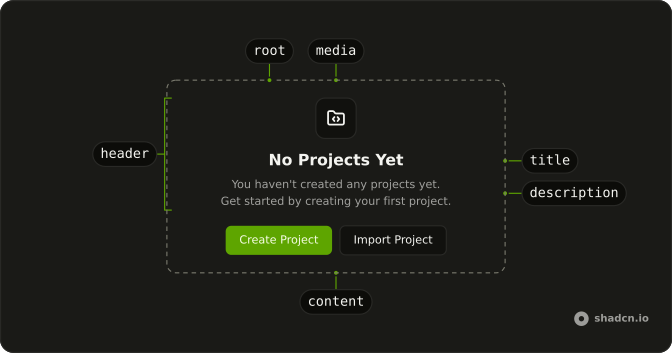
Usage
<Empty>
  <EmptyHeader>
    <EmptyMedia variant="icon">
      <PackageIcon aria-hidden="true" />
    </EmptyMedia>
    <EmptyTitle>No products available</EmptyTitle>
    <EmptyDescription>
      There are no products in this category yet. Check back later or browse
      other categories to discover what we have to offer.
    </EmptyDescription>
  </EmptyHeader>
</Empty>
FAQ
How is the long description written?
One EmptyDescription holds two sentences: there are no products in this category yet, then check back later or browse other categories. There is no br between them.
Which icon does it use?
PackageIcon in EmptyMedia with variant="icon". The title is "No products available".
Does the longer text stay readable?
EmptyHeader limits the block to max-w-sm and centers it. EmptyDescription is muted.
How do I put the sentences on separate lines?
Add a br inside the same EmptyDescription. This demo leaves both sentences in one paragraph.
API Reference
Empty
Sets variant="icon". The rest is on the Empty page.