shadcn.io is an independent project built on shadcn/ui
One small outline row that is a link. A verified icon, then Your profile has been verified, then a chevron.
Use a small link row for a one-line status people can open. A Toast is enough if they only need to see it and dismiss it. Ark UI in React does not verify the profile.
Installation
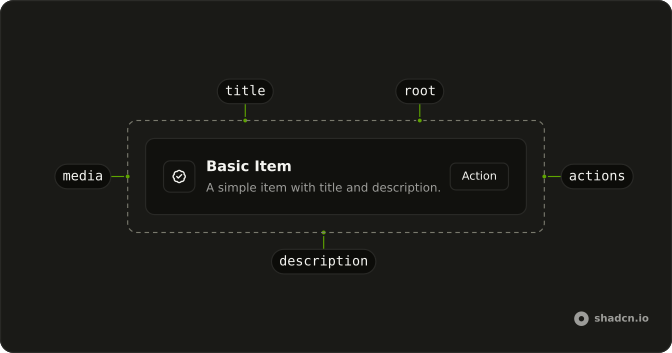
Anatomy
Usage
<div className="flex w-full max-w-md flex-col gap-6">
  <Item asChild className="bg-background" size="sm" variant="outline">
    <a href="#">
      <ItemMedia>
        <BadgeCheckIcon aria-hidden="true" className="size-5" />
      </ItemMedia>
      <ItemContent>
        <ItemTitle>Your profile has been verified.</ItemTitle>
      </ItemContent>
      <ItemActions>
        <ChevronRightIcon aria-hidden="true" className="size-4" />
      </ItemActions>
    </a>
  </Item>
</div>
FAQ
When should an Item include ItemMedia?
When a picture or icon tells people what kind of row it is before they read it, as this badge does for a verified profile. Leave it out when the title is the whole story.
How is the whole Item made clickable?
The Item renders as an anchor, so the entire row is one link with a hover background and a focus ring.
Set asChild and pass the anchor as the only child.
Why a chevron in ItemActions?
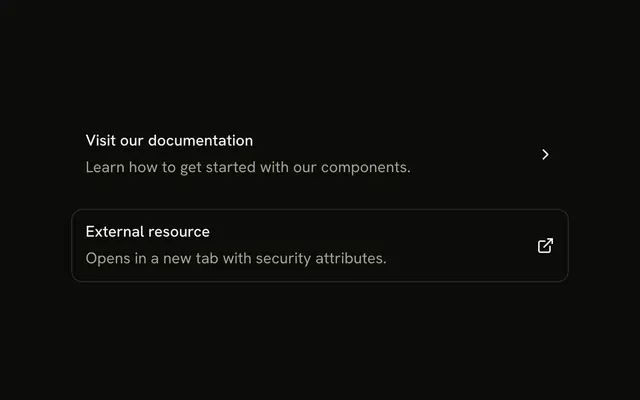
A trailing chevron is the usual hint that the row opens another page. It's decorative, marked aria-hidden="true", because the link itself already says it's a link. Use an external-link icon instead when the row leaves your site.
What does size sm do here?
It reduces the Item's gap and padding, which suits a one-line row without a description. The text size stays the same. The icon keeps its own size-5, since ItemMedia's default variant doesn't size icons.
API Reference
Item
Sets asChild, size="sm" and variant="outline". The rest is on the Item page.