shadcn.io is an independent project built on shadcn/ui
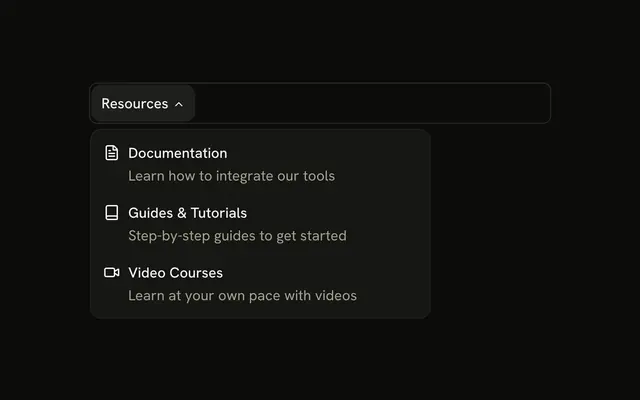
The bar shows Resources. The panel lists Documentation, Video Tutorials, and Blog, a Featured guide called Complete Platform Guide with Download Free, and a webinar with Register Now.
Use the panel when a download or a signup should ride along with the links. A Dialog fits better for a form that must be finished. In React, Ark UI moves between the triggers with Tab.
Installation
Anatomy
Usage
<div className="w-full max-w-md rounded-md border bg-background p-px">
  <NavigationMenu>
    <NavigationMenuList>
      <NavigationMenuItem>
        <NavigationMenuTrigger>Resources</NavigationMenuTrigger>
        <NavigationMenuContent>
          <div className="flex w-[600px] max-w-full flex-col gap-4 p-2">
            <div className="grid grid-cols-[1fr_240px] gap-4">
              <div className="flex flex-col gap-1">
                {resources.map((resource) => (
                  <NavigationMenuLink
                    asChild
                    className="items-start gap-2"
                    key={resource.label}
                  >
                    <Link href={resource.href}>
                      <resource.icon
                        aria-hidden="true"
                        className="mt-0.5 size-5"
                      />
                      <div className="flex flex-col gap-0.5">
                        <div className="flex items-center gap-2">
                          <span className="font-medium">
                            {resource.label}
                          </span>
                          {resource.badge ? (
                            <Badge variant="secondary">
                              {resource.badge}
                            </Badge>
                          ) : null}
                        </div>
{/* The rest of the file is under Installation. */}
FAQ
How is Video Tutorials marked Free?
Its data has a badge, rendered as a secondary Badge next to the name. Links without one show only the name.
How do the links use my router?
Each link is your router's link rendered through NavigationMenuLink, so it keeps the menu's styles and focus handling.
NavigationMenuLink takes asChild, and the demo puts the Next.js Link inside it.
API Reference
Navigation Menu
Sets asChild. The rest is on the Navigation Menu page.
Badge
Sets variant="secondary". The rest is on the Badge page.
Button
Sets size="sm". The rest is on the Button page.