shadcn.io is an independent project built on shadcn/ui
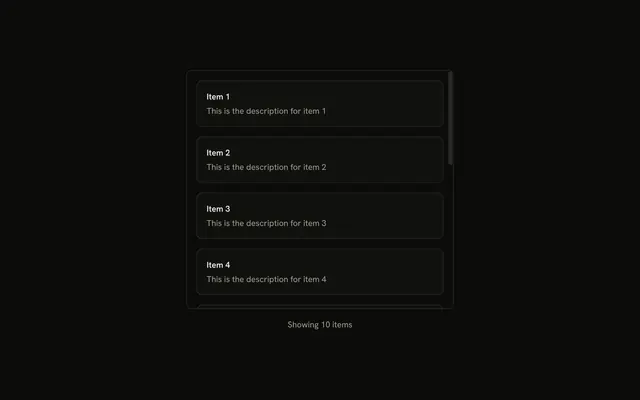
A bordered panel titled Terms of Service holds several muted paragraphs. The panel is shorter than the text, so it scrolls vertically.
Use a vertical scroll area for long text in a fixed panel, such as terms. Let the page scroll, or use a Dialog, when the text should not be clipped. In React, Ark UI does not write the terms.
Installation
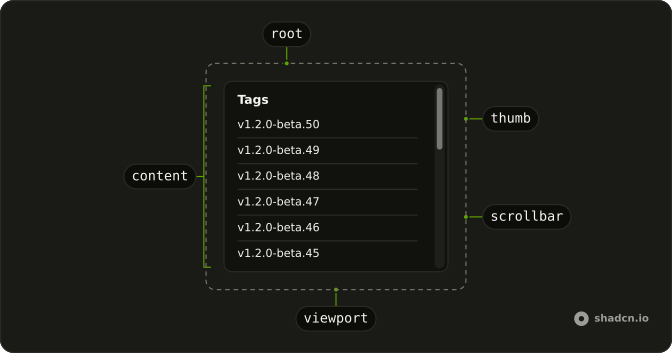
Anatomy
Usage
<ScrollArea className="h-72 w-full max-w-md rounded-md border">
  <div className="p-4">
    <h4 className="mb-4 font-medium text-sm leading-none">
      Terms of Service
    </h4>
    <div className="flex flex-col gap-4 text-muted-foreground text-sm">
      <p>
        Welcome to our service. By accessing or using our service, you agree
        to be bound by these Terms of Service and all applicable laws and
        regulations.
      </p>
      <p>
        You must be at least 18 years old to use this service. By using this
        service, you represent and warrant that you are at least 18 years of
        age.
      </p>
      <p>
        We reserve the right to modify or discontinue, temporarily or
        permanently, the service (or any part thereof) with or without notice.
      </p>
      <p>
        You agree not to reproduce, duplicate, copy, sell, resell or exploit
        any portion of the service without express written permission by us.
      </p>
      <p>
        We reserve the right to refuse service to anyone for any reason at any
        time. You understand that your content may be transferred unencrypted
        and involve transmissions over various networks.
      </p>
      <p>
        We do not warrant that the service will be uninterrupted, timely,
{/* The rest of the file is under Installation. */}
FAQ
Why does this terms list scroll?
ScrollArea has h-72, so the box is shorter than the seven paragraphs inside it. A scroll area scrolls when its box is smaller than the content. The width is w-full max-w-md.
Where is the padding?
On the inner div, as p-4, so it scrolls with the terms. The heading is an h4 with mb-4, and the paragraphs are flex flex-col gap-4 with text-sm text-muted-foreground.
What draws the frame?
rounded-md border on ScrollArea. This file adds no background class. The heading text is "Terms of Service".
How do I change the scrollbar?
The frame classes live on ScrollArea. The thumb lives in the scroll-area file under components/ui.
The thumb is data-slot scroll-area-thumb. The bar fades until hover or scrolling.
API Reference
Scroll Area
No extra props in this demo. The rest is on the Scroll Area page.