shadcn.io is an independent project built on shadcn/ui
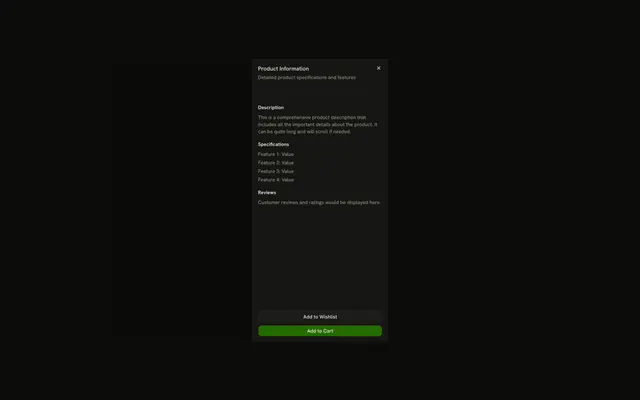
The title is Complete Your Profile. The description says to fill in information to get started. A short paragraph fills the middle. Cancel and Continue sit at the bottom.
Use this split when the actions must stay put under a changing body. A one-question task fits a Dialog better. In React, Ark UI does not treat Continue as a submit.
Installation
Anatomy

Usage
<Sheet>
  <SheetTrigger asChild>
    <Button>Open Sheet</Button>
  </SheetTrigger>
  <SheetContent>
    <SheetHeader>
      <SheetTitle>Complete Your Profile</SheetTitle>
      <SheetDescription>
        Fill in your information to get started
      </SheetDescription>
    </SheetHeader>
    <div className="flex-1 p-4">
      <p className="text-muted-foreground text-sm">
        This is the main content area of the sheet. It can contain forms,
        lists, or any other content you need to display.
      </p>
    </div>
    <SheetFooter>
      <SheetClose asChild>
        <Button className="w-full" variant="outline">
          Cancel
        </Button>
      </SheetClose>
      <Button className="w-full">Continue</Button>
    </SheetFooter>
  </SheetContent>
</Sheet>
FAQ
How is the sheet split into header, body and footer?
SheetContent is a flex column. SheetHeader comes first, the body div has flex-1 so it fills the space in between, and SheetFooter sits last.
How does Cancel close the sheet?
It's wrapped in SheetClose, which dismisses the sheet when pressed.
Wrap your button in SheetClose with asChild.
Does Continue do anything?
Not yet: it's a plain Button. Run your next step from it, and close the sheet by controlling its open state if that step leaves the panel:
Pass open to Sheet and read details.open in onOpenChange.
What if the body gets long?
Add overflow-y-auto to the body next to flex-1. The body then scrolls while the header and footer stay in place.
API Reference
Sheet
Sets asChild. The rest is on the Sheet page.
Button
Sets variant="outline". The rest is on the Button page.