shadcn.io is an independent project built on shadcn/ui
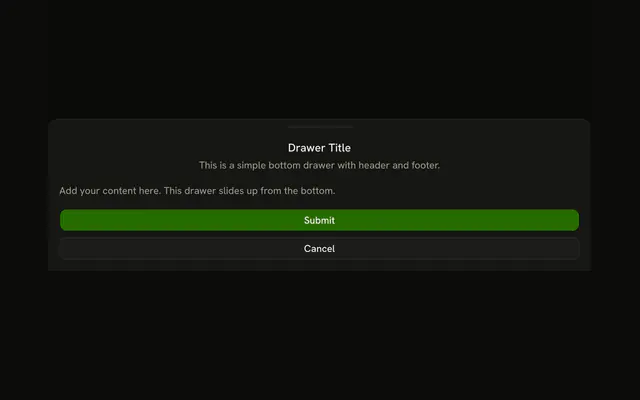
A menu button opens a panel from the left titled Menu. It has a short description, one line about navigation, and Close.
Use it for navigation on a small screen. On a wide layout, keep those links in a Sidebar. In React, Ark UI closes it when the panel is swiped away.
Installation
Anatomy

Usage
<Drawer swipeDirection="left">
  <DrawerTrigger asChild>
    <Button aria-label="Open menu" size="icon-md" variant="outline">
      <MenuIcon aria-hidden="true" />
    </Button>
  </DrawerTrigger>
  <DrawerContent showBar={false}>
    <DrawerHeader>
      <DrawerTitle>Menu</DrawerTitle>
      <DrawerDescription>
        This drawer slides in from the left side.
      </DrawerDescription>
    </DrawerHeader>
    <div className="p-4">
      <p className="text-muted-foreground text-sm">
        Left-side drawers are commonly used for navigation menus and sidebars.
      </p>
    </div>
    <DrawerFooter>
      <DrawerClose asChild>
        <Button variant="outline">Close</Button>
      </DrawerClose>
    </DrawerFooter>
  </DrawerContent>
</Drawer>
FAQ
How does this drawer open from the left?
swipeDirection="left" on Drawer puts it on the left edge. The prop names the swipe that closes the drawer, so left docks it on the left; leave it out for a bottom drawer.
How is the menu button labeled?
An outline icon button opens the drawer. Its aria-label, Open menu, is the accessible name; the icon is aria-hidden.
DrawerTrigger takes asChild and merges onto the one Button inside it.
What's inside the panel?
DrawerHeader with the title Menu and the description This drawer slides in from the left side, one paragraph, and DrawerFooter with a Close button.
How does Close work?
It's a DrawerClose, so it dismisses the drawer. Swiping it back toward its edge, Escape and a click on the overlay all close it, and focus goes back to the trigger.
DrawerClose takes asChild and merges onto the Button inside it.
API Reference
Drawer
Sets swipeDirection="left", asChild and showBar={false}. The rest is on the Drawer page.
Button
Sets aria-label="Open menu", size="icon-md" and variant="outline". The rest is on the Button page.