shadcn.io is an independent project built on shadcn/ui
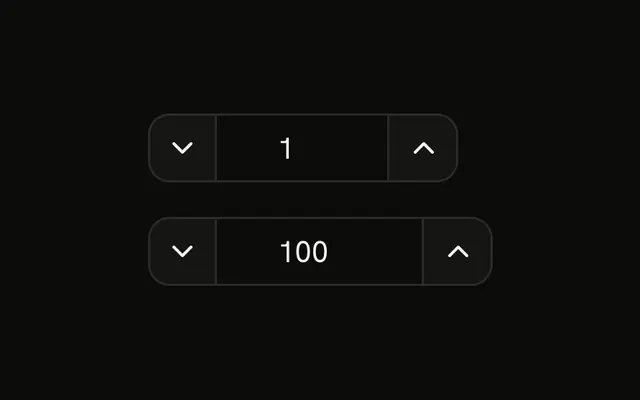
Plus and minus around a count. The first picker starts at 1. The second starts at 5 and reads Qty: 5. Minus turns off at zero, so the buttons cannot go negative. There is no field to type a number.
Use it beside a product in a cart. If people must type the quantity, use Number Input, which also steps and limits the value. In React, Base UI does not cap how high the count can go.
Installation
Anatomy

Usage
<div className="flex flex-col gap-4">
  <ButtonGroup aria-label="Quantity">
    <Button
      aria-label="Decrease quantity"
      disabled={quantity1 === 0}
      onClick={decrement1}
      size="icon-sm"
      variant="outline"
    >
      <MinusIcon aria-hidden="true" />
    </Button>
    <ButtonGroupText aria-live="polite" className="min-w-12 justify-center">
      {quantity1}
    </ButtonGroupText>
    <Button
      aria-label="Increase quantity"
      onClick={increment1}
      size="icon-sm"
      variant="outline"
    >
      <PlusIcon aria-hidden="true" />
    </Button>
  </ButtonGroup>
  <ButtonGroup aria-label="Quantity">
    <Button
      aria-label="Decrease quantity"
      disabled={quantity2 === 0}
      onClick={decrement2}
      size="icon-sm"
      variant="outline"
    >
{/* The rest of the file is under Installation. */}
FAQ
How are the two quantities tracked?
Each picker has its own value, 1 and 5. Minus subtracts one, never below 0, and plus adds one with no upper limit.
How are the icon buttons named?
Each has an aria-label, Decrease quantity or Increase quantity, and size="icon-sm". The icons have aria-hidden="true".
Is the new count announced?
Yes. The ButtonGroupText has aria-live="polite", so a screen reader reads the number after it changes.
Can people type a number?
Not here; the count is text. The Stepper Button Group puts an input between the buttons, and Number Input handles typing, limits and steps in one component.
API Reference
Button Group
Sets aria-label="Quantity" and aria-live="polite". The rest is on the Button Group page.
Button
Sets aria-label="Decrease quantity", disabled={quantity1 === 0}, onClick={decrement1}, size="icon-sm", variant="outline" and aria-label="Increase quantity". The rest is on the Button page.