shadcn.io is an independent project built on shadcn/ui
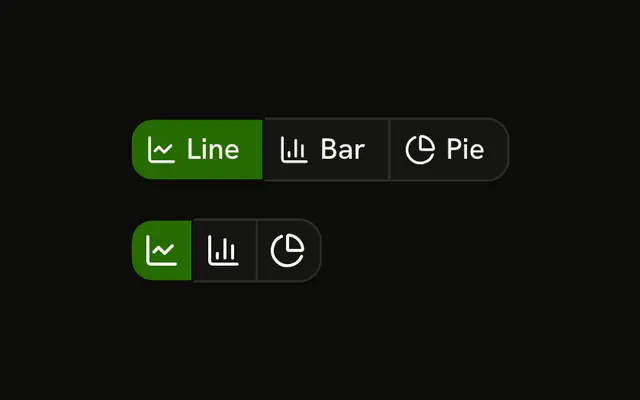
One layout choice, two rows, starting on Grid. The first labels Grid, List, and Cards. The second uses icons for the same three, and each icon button has a name. Picking List fills List in both rows. The layout on the page does not change.
Put this at the top of a file list or a product grid. Arrow keys in one stop are a Toggle Group. In React, Base UI does not switch the layout for you.
Installation
Anatomy

Usage
<div className="flex flex-col gap-4">
  <ButtonGroup aria-label="View">
    {VIEWS.map((item) => (
      <Button
        aria-pressed={view === item.value}
        key={item.value}
        onClick={handleSelect}
        size="sm"
        value={item.value}
        variant={view === item.value ? "default" : "outline"}
      >
        <item.icon aria-hidden="true" data-icon="inline-start" />
        {item.label}
      </Button>
    ))}
  </ButtonGroup>
  <ButtonGroup aria-label="View">
    {VIEWS.map((item) => (
      <Button
        aria-label={item.label}
        aria-pressed={view === item.value}
        key={item.value}
        onClick={handleSelect}
        size="icon-sm"
        value={item.value}
        variant={view === item.value ? "default" : "outline"}
      >
        <item.icon aria-hidden="true" />
      </Button>
    ))}
  </ButtonGroup>
</div>
FAQ
How is the view tracked?
One value, starting at grid. Each button carries its own value, and pressing it stores that value. The matching button gets variant="default".
Why do both rows change together?
They read the same value. Show the labeled row where there's room and the icon row in a toolbar.
How are the icon-only buttons named?
Each has an aria-label, Grid, List or Cards, and size="icon-sm". The icons have aria-hidden="true".
How is the active view announced?
Its button sets aria-pressed, so a screen reader reads it as pressed.
API Reference
Button Group
Sets aria-label="View". The rest is on the Button Group page.
Button
Sets aria-pressed={view === item.value}, onClick={handleSelect}, size="sm", value={item.value}, variant={view === item.value ? "default" : "outline"} and aria-label={item.label}. The rest is on the Button page.