shadcn.io is an independent project built on shadcn/ui
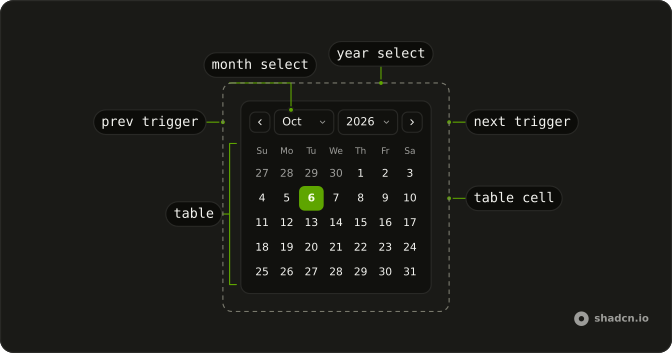
The caption is two dropdowns, one for the month and one for the year. The previous and next arrows are gone. A day in the grid can still be selected.
Use it when people jump across years, not just to the next month. Keep the arrows if they only move one month at a time. A field that opens this caption is a Date Picker. In React, Base UI does not jump to a year on its own.
Installation
Anatomy
Usage
<Calendar
  captionLayout="dropdown"
  className="rounded-md border"
  components={components}
  hideNavigation
  mode="single"
  month={month}
  onMonthChange={setMonth}
  onSelect={setDate}
  selected={date}
/>
FAQ
How do the month and year dropdowns work?
captionLayout="dropdown" and hideNavigation replace the previous and next buttons with month and year dropdowns. components.Dropdown renders each as a Select, and month with onMonthChange tracks the visible month apart from selected.
How do I read the selected date?
mode="single" makes selected one date and onSelect the setter. This demo stores that date in state, starting from new Date().
Which years are in the year dropdown?
The year Select lists the options the calendar passes into Dropdown. A SelectItem sets disabled from option.disabled, so a year the calendar turns off stays disabled.
How are the dropdowns named for assistive tech?
SelectTrigger copies the dropdown aria-label. DropdownNav lays the two triggers out in flex w-full items-center gap-2, and the trigger uses first:flex-1.
API Reference
Calendar
Sets captionLayout="dropdown", components={components}, hideNavigation, mode="single", month={month} and onMonthChange={setMonth}. The rest is on the Calendar page.