shadcn.io is an independent project built on shadcn/ui
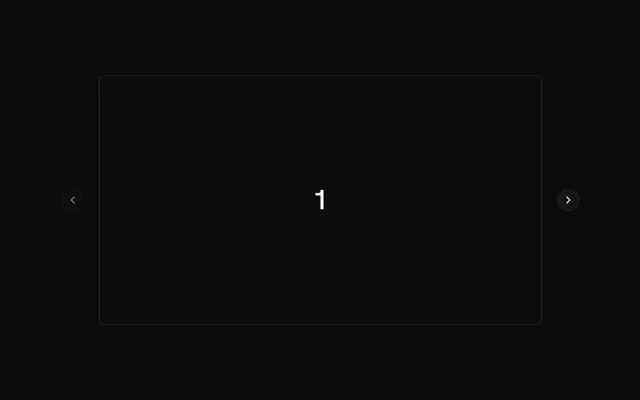
A wide frame shows one number, from 1 through 5. Under it, five buttons read 1 through 5. The button for the current slide is filled, and the others are outlines.
Use numbered buttons when people should jump to a slide. A Tabs row fits if each slide needs a name instead of a number. On React, Base UI does not mark the current button.
Installation
Anatomy
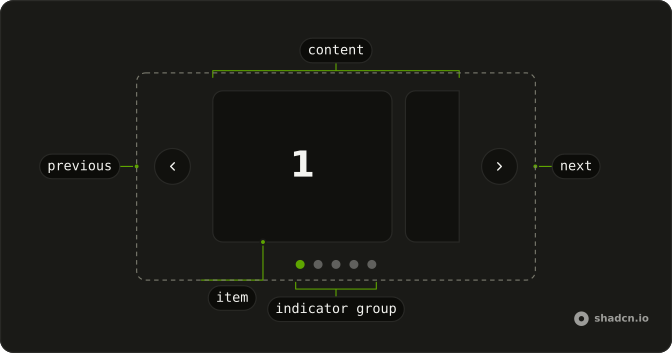
Usage
<div className="mx-auto flex w-full max-w-md flex-col gap-4">
  <Carousel setApi={setApi}>
    <CarouselContent>
      {slides.map((slide) => (
        <CarouselItem key={slide}>
          <div className="flex aspect-2/1 items-center justify-center rounded-md border bg-background">
            <span className="font-semibold text-4xl">{slide}</span>
          </div>
        </CarouselItem>
      ))}
    </CarouselContent>
  </Carousel>
  <div className="flex justify-center gap-2">
    {slides.map((slide, index) => (
      <Button
        aria-current={current === index ? "true" : undefined}
        aria-label={`Go to slide ${slide}`}
        data-index={index}
        key={slide}
        onClick={handleThumbnailClick}
        variant={current === index ? "default" : "outline"}
      >
        {slide}
      </Button>
    ))}
  </div>
</div>
FAQ
How do the buttons stay in sync with the slides?
setApi stores the carousel's API. An effect listens to its select event and stores selectedScrollSnap() in current, and each button calls scrollTo with its index.
What does each slide show?
Five slides. Each is an aspect-2/1 box with rounded-md border bg-background and the slide number in font-semibold text-4xl. The carousel and the buttons stack in a max-w-md column with gap-4.
How are the buttons styled?
A flex justify-center gap-2 row of Buttons, one per slide. The current one is variant="default", the others variant="outline". Change those, or the size, to restyle them.
Can I show pictures instead of numbers?
Yes. Put a small img in each button, with a fixed size such as size-12 and object-cover, and keep the aria-label so each button still has a name.
API Reference
Carousel
Sets setApi={setApi}. The rest is on the Carousel page.
Button
Sets aria-current={current === index ? "true" : undefined}, aria-label, Go, to, slide and slide. The rest is on the Button page.