shadcn.io is an independent project built on shadcn/ui
Opening the list shows four skeleton rows for two seconds. Then Option 1, Option 2, and Option 3 replace them. The button stays on Select option... until a pick.
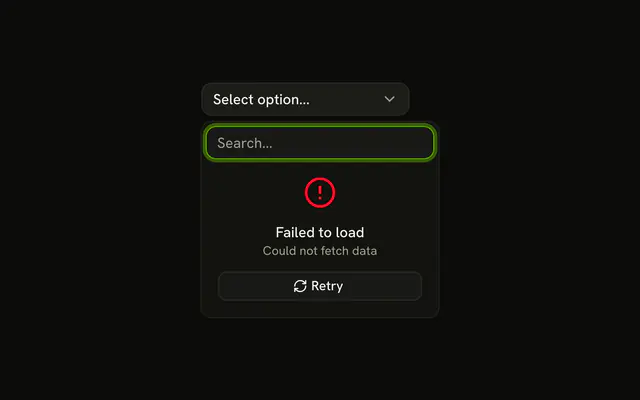
Use it when the list comes from a request, so the popup keeps its shape. A failure, rather than a wait, needs a Retry Button. In React, Base UI does not know the request is running.
Installation
Anatomy

Usage
<Combobox items={options} onOpenChange={setOpen}>
  <ComboboxTrigger
    render={
      <Button className="w-[200px] justify-between" variant="outline" />
    }
  >
    <ComboboxValue placeholder="Select option..." />
  </ComboboxTrigger>
  <ComboboxContent>
    <ComboboxInput placeholder="Search..." showTrigger={false} />
    {isLoading ? (
      <div aria-busy="true" className="flex flex-col gap-2 p-2">
        {skeletonRows.map((row) => (
          <Skeleton className="h-8 w-full" key={row} />
        ))}
      </div>
    ) : (
      <>
        <ComboboxEmpty>No results found.</ComboboxEmpty>
        <ComboboxList>
          {(item: string) => (
            <ComboboxItem key={item} value={item}>
              {item}
            </ComboboxItem>
          )}
        </ComboboxList>
      </>
    )}
  </ComboboxContent>
</Combobox>
FAQ
When do the skeletons show?
Every time the list opens. The demo watches the open state, turns loading on, and turns it off after a two-second timer that stands in for a request.
The open state comes from onOpenChange, which receives a boolean.
What do the placeholders look like?
Four Skeleton bars, h-8 w-full, in a column with gap-2 and p-2, about the height of the rows they stand in for. The column has aria-busy.
What appears when loading finishes?
Option 1, Option 2 and Option 3. Search filters them, and No results found. covers a search that matches nothing.
Does it load again on every open?
Yes, the timer starts each time the list opens, and closing the list cancels it. Keep the loaded items and skip the request on later opens if they don't change often.
How do I load real data?
Start the request where the timer starts, store the result and pass it to the list. Show the error state if it fails.
API Reference
Combobox
Sets items={options}, onOpenChange={setOpen}, placeholder="Select option...", placeholder="Search...", showTrigger={false} and value={item}. The rest is on the Combobox page.
Button
Sets variant="outline". The rest is on the Button page.
Skeleton
No extra props in this demo. The rest is on the Skeleton page.