shadcn.io is an independent project built on shadcn/ui
Apple, Banana, Cherry, Date, and Elderberry are the list. A search that matches none of them shows a search icon, No results, and Try a different search term.
Use it when people often type something that is not there, and they need a next step. A one-line miss is the plain empty state of a Combobox. In React, Base UI only knows the search missed.
Installation
Anatomy

Usage
<Combobox items={fruits}>
  <ComboboxTrigger
    render={
      <Button className="w-[200px] justify-between" variant="outline" />
    }
  >
    <ComboboxValue placeholder="Select fruit..." />
  </ComboboxTrigger>
  <ComboboxContent>
    <ComboboxInput placeholder="Search fruits..." showTrigger={false} />
    <ComboboxEmpty>
      <div className="flex flex-col items-center gap-2 p-4 text-center">
        <SearchIcon
          aria-hidden="true"
          className="size-8 text-muted-foreground"
        />
        <div>
          <p className="font-medium text-sm">No results</p>
          <p className="text-muted-foreground text-xs">
            Try a different search term
          </p>
        </div>
      </div>
    </ComboboxEmpty>
    <ComboboxList>
      {(item: string) => (
        <ComboboxItem key={item} value={item}>
          {item}
        </ComboboxItem>
      )}
    </ComboboxList>
{/* The rest of the file is under Installation. */}
FAQ
What does the no-results block show?
A SearchIcon at size-8 in text-muted-foreground, No results in font-medium, and Try a different search term in muted text-xs, centered in a column.
When does it show?
Only when the search leaves nothing to show.
It's the content of ComboboxEmpty, which renders only then.
Which fruits are listed?
Apple, Banana, Cherry, Date and Elderberry. The search box says Search fruits....
How do I pick a fruit?
Type to narrow the list, then click a fruit or move to it with the arrow keys and press Enter. The button then shows it in place of Select fruit....
Can the message offer an action?
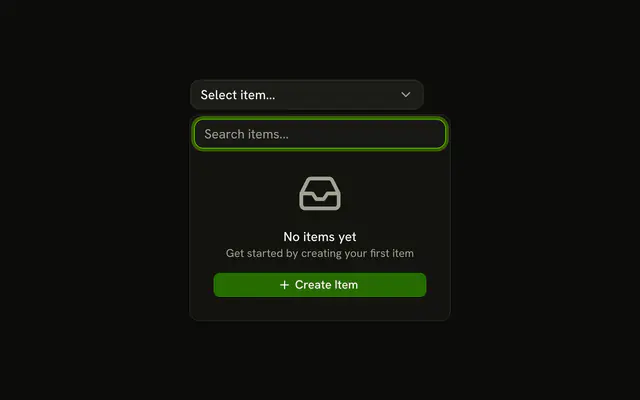
Yes, any content fits. Add a button that clears the search or creates the missing item, as in Empty State with Action.
API Reference
Combobox
Sets items={fruits}, placeholder="Select fruit...", placeholder="Search fruits...", showTrigger={false} and value={item}. The rest is on the Combobox page.
Button
Sets variant="outline". The rest is on the Button page.