shadcn.io is an independent project built on shadcn/ui
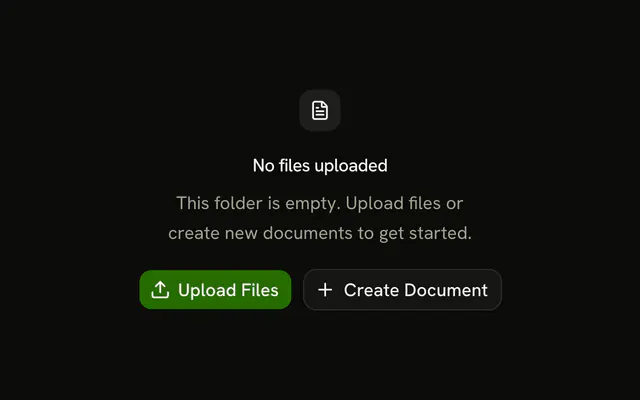
An upload icon, the title No files uploaded, and a line about uploading or importing. Upload File and Import from URL sit side by side, each with an icon.
Use it when content can come from the computer or from a URL. If there is only one way in, keep a single Button. In React, Base UI does not upload or import the file.
Installation
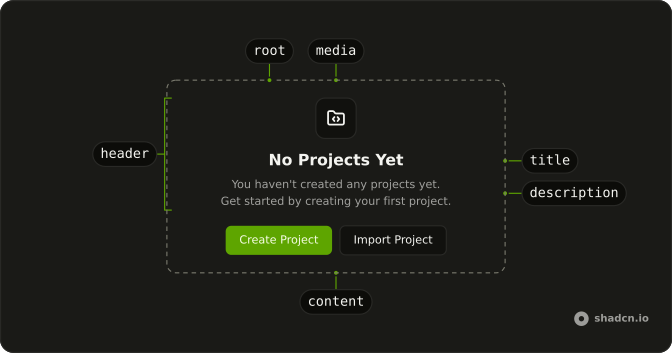
Anatomy
Usage
<Empty>
  <EmptyHeader>
    <EmptyMedia variant="icon">
      <UploadIcon aria-hidden="true" />
    </EmptyMedia>
    <EmptyTitle>No files uploaded</EmptyTitle>
    <EmptyDescription>
      Upload files from your computer or import from a URL.
    </EmptyDescription>
  </EmptyHeader>
  <EmptyContent>
    <div className="flex gap-2">
      <Button>
        <UploadIcon aria-hidden="true" data-icon="inline-start" />
        Upload File
      </Button>
      <Button variant="outline">
        <LinkIcon aria-hidden="true" data-icon="inline-start" />
        Import from URL
      </Button>
    </div>
  </EmptyContent>
</Empty>
FAQ
Does the header use the same icon?
Yes. UploadIcon is in EmptyMedia with variant="icon", and the Upload File button uses UploadIcon again. Import from URL uses LinkIcon.
What does the description say?
EmptyTitle is "No files uploaded". EmptyDescription says to upload files from the computer or import from a URL.
Which button is the filled one?
Upload File has no variant, so it is the default filled button. Import from URL sets variant="outline".
API Reference
Empty
Sets variant="icon". The rest is on the Empty page.
Button
Sets variant="outline". The rest is on the Button page.