shadcn.io is an independent project built on shadcn/ui
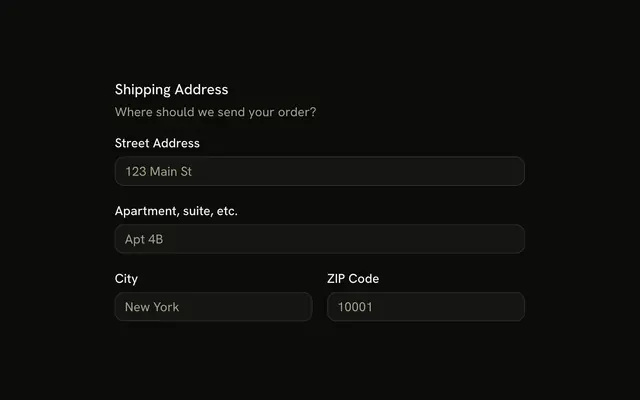
Personal Details is the caption. First Name and Last Name share a row, placeholders John and Doe. City, placeholder New York, takes two columns. State, placeholder NY, takes one.
Save it for neighbors that should share a row, with one wider than the other. A loose frame around the same fields is a Card. Column sizes are not something Base UI figures out on React.
Installation
Anatomy

Usage
<FieldSet className="w-full max-w-md">
  <FieldLegend variant="label">Personal Details</FieldLegend>
  <FieldGroup>
    <div className="grid grid-cols-2 gap-4">
      <Field>
        <FieldLabel htmlFor="details-first-name">First Name</FieldLabel>
        <Input id="details-first-name" placeholder="John" type="text" />
      </Field>
      <Field>
        <FieldLabel htmlFor="details-last-name">Last Name</FieldLabel>
        <Input id="details-last-name" placeholder="Doe" type="text" />
      </Field>
    </div>
    <div className="grid grid-cols-3 gap-4">
      <Field className="col-span-2">
        <FieldLabel htmlFor="details-city">City</FieldLabel>
        <Input id="details-city" placeholder="New York" type="text" />
      </Field>
      <Field>
        <FieldLabel htmlFor="details-state">State</FieldLabel>
        <Input id="details-state" placeholder="NY" type="text" />
      </Field>
    </div>
  </FieldGroup>
</FieldSet>
FAQ
How are First Name and Last Name placed on one row?
They sit in a grid with grid-cols-2 and gap-4. Each cell is its own Field with a FieldLabel and an Input.
How does City take more room than State?
That row is a grid with grid-cols-3 and gap-4. City's Field has col-span-2, so State keeps the last column.
What is the Personal Details line?
FieldLegend with variant set to label is the caption on the FieldSet. label is the quieter legend. This set has no FieldDescription.
What do the inputs accept?
Every Input uses type text. The placeholders are John, Doe, New York, and NY.
API Reference
Field
Sets variant="label", htmlFor="details-first-name", htmlFor="details-last-name", htmlFor="details-city" and htmlFor="details-state". The rest is on the Field page.
Input
Sets id="details-first-name", placeholder="John", type="text", id="details-last-name", placeholder="Doe" and id="details-city". The rest is on the Input page.