shadcn.io is an independent project built on shadcn/ui
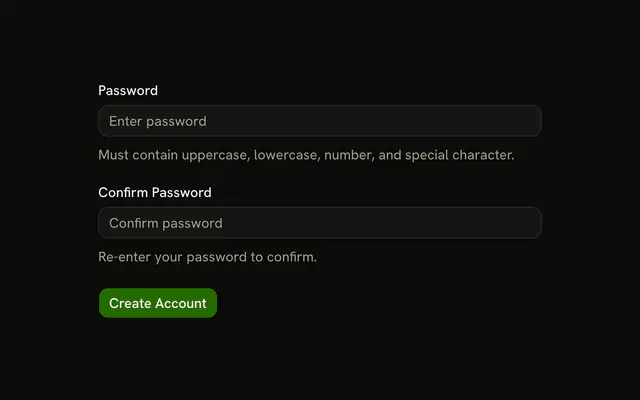
Two masked password fields. Each has an info button. The first tooltip says the password must be at least 8 characters. The second says to enter the same password as above. Nothing checks either rule.
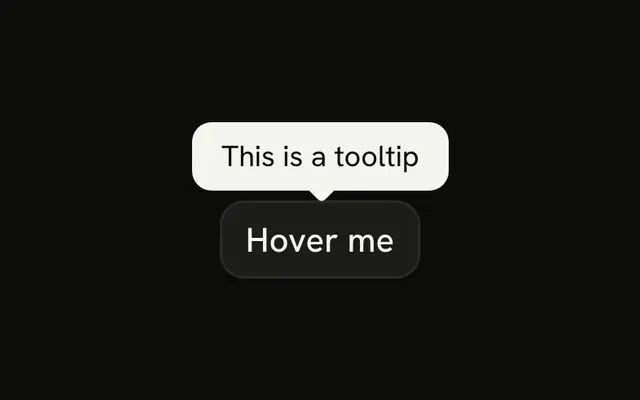
Keep a short rule next to the field it covers. A hover note that does not need a portal is a Hint. In React, Base UI does not check the password against the tooltip.
Installation
Anatomy

Usage
<div className="flex w-full max-w-sm flex-col gap-4">
  <InputGroup className="bg-background">
    <InputGroupInput
      aria-label="Password"
      placeholder="Enter password"
      type="password"
    />
    <InputGroupAddon align="inline-end">
      <TooltipProvider>
        <Tooltip>
          <TooltipTrigger
            render={
              <InputGroupButton
                aria-label="Password requirements"
                size="icon-xs"
                variant="ghost"
              />
            }
          >
            <InfoIcon aria-hidden="true" />
          </TooltipTrigger>
          <TooltipContent>
            <p>Password must be at least 8 characters</p>
          </TooltipContent>
        </Tooltip>
      </TooltipProvider>
    </InputGroupAddon>
  </InputGroup>
  <InputGroup className="bg-background">
    <InputGroupInput
      aria-label="Confirm password"
{/* The rest of the file is under Installation. */}
FAQ
How is each info button tied to its tooltip?
TooltipTrigger renders the InputGroupButton through render, inside a TooltipProvider.How are the two buttons told apart?
Their aria-labels, Password requirements and Confirm password requirements.
Should the rules be in a tooltip?
Only as a hint. Rules people must meet are better shown under the field, where touch users and screen readers find them without hovering.
Does the form check the rules?
No. Validate the length and that both fields match, and show an error under the field that fails.
API Reference
Input Group
Sets aria-label="Password", placeholder="Enter password", type="password", align="inline-end", aria-label="Password requirements" and size="icon-xs". The rest is on the Input Group page.
Tooltip
No extra props in this demo. The rest is on the Tooltip page.