shadcn.io is an independent project built on shadcn/ui
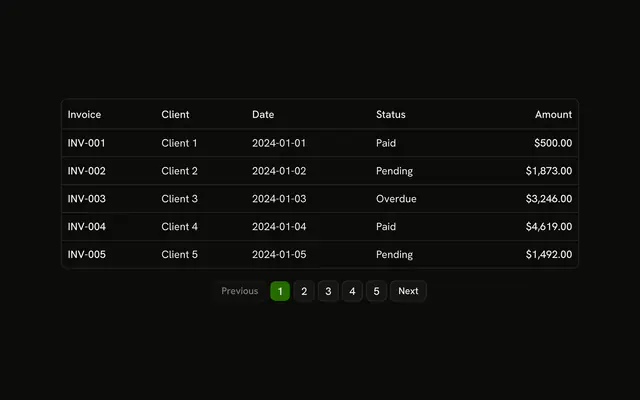
A transactions table shows five rows at a time. Columns include ID, Description, Date, Status and Amount. Under it, a Page label sits beside Previous and Next.
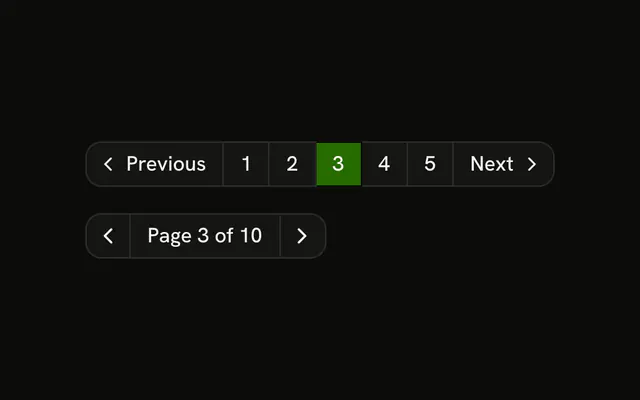
Step through pages when people rarely jump, such as a ledger. Numbered buttons, as on Pagination, fit when they jump to a page. In React, Base UI does not count the pages.
Installation
Usage
<div className="w-full max-w-4xl">
  <div className="rounded-md border bg-background">
    <Table>
      <TableHeader>
        {table.getHeaderGroups().map((headerGroup) => (
          <TableRow key={headerGroup.id}>
            {headerGroup.headers.map((header) => (
              <TableHead key={header.id}>
                {header.isPlaceholder ? null : (
                  <table.FlexRender header={header} />
                )}
              </TableHead>
            ))}
          </TableRow>
        ))}
      </TableHeader>
      <TableBody>
        {rows.length > 0 ? (
          rows.map((row) => (
            <TableRow key={row.id}>
              {row.getAllCells().map((cell) => (
                <TableCell key={cell.id}>
                  <table.FlexRender cell={cell} />
                </TableCell>
              ))}
            </TableRow>
          ))
        ) : (
          <TableRow>
            <TableCell
              className="h-24 text-center"
{/* The rest of the file is under Installation. */}
FAQ
How many rows are on a page?
Five: initialState.pagination sets pageSize to 5, and getRowModel() returns that page through rowPaginationFeature and createPaginatedRowModel(). Call table.setPageSize to change it.
What does the page label read?
Page, then table.state.pagination.pageIndex + 1, of table.getPageCount(). The index starts at zero, so the label adds one.
Is the page index stored outside the table?
No, only initialState is passed and the table keeps the page. Read it from table.state.pagination or listen with onPaginationChange to sync it with the URL.
API Reference
Table
Sets colSpan={columns.length}. The rest is on the Table page.
Button
Sets disabled={!table.getCanPreviousPage()}, onClick={handlePrevious}, size="sm", variant="outline", disabled={!table.getCanNextPage()} and onClick={handleNext}. The rest is on the Button page.