Skip to content

shadcn.io is an independent project built on shadcn/ui

Free

Error with Title and Action Alert for Solid

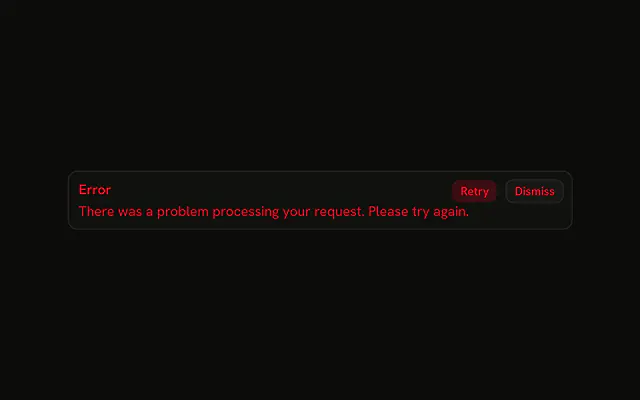
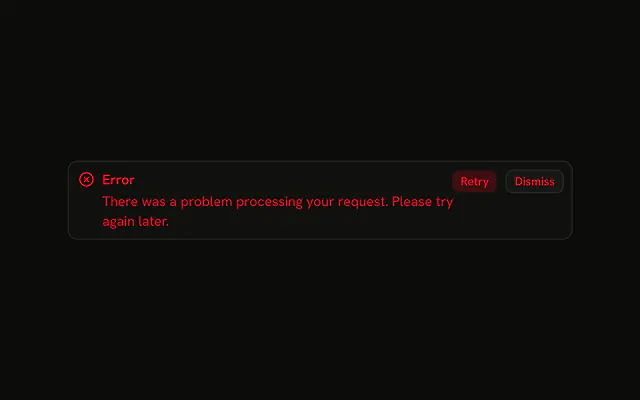
A destructive alert with only the title Error, plus Retry and Dismiss. No icon, no explanation, and the buttons have no handlers.

UI library: Ark UI

The title Error in the destructive color, with Retry and Dismiss beside it. There is no icon and no second line. The buttons are not wired.

Use it for a short failure people can retry, such as a dropped request. If they need the reason, put it on the Field that failed. In Solid, Ark UI will not dismiss this alert.

Preview

Preview width

Installation

MCP · Pro
Make your AI a shadcn expert
Your agent installs components, builds pages and restyles your app from one prompt, in Claude Code, Cursor or VS Code.
Part of Pro

Anatomy

Alert anatomy: root, icon, title, description, action

Usage

<Alert class="max-w-lg" variant="destructive">
    <AlertTitle>Error</AlertTitle>
    <AlertAction class="flex gap-2">
      <Button size="xs" variant="destructive">
        Retry
      </Button>
      <Button size="xs" variant="outline">
        Dismiss
      </Button>
    </AlertAction>
  </Alert>

FAQ

What is in this alert besides the title?

Retry and Dismiss, inside one AlertAction. The alert is variant="destructive" with a single AlertTitle and no description.

Which Button variants does the demo use?

Retry uses the destructive Button variant, so it matches the alert's color, and Dismiss uses outline, so it reads as the lesser choice. Both are size="xs", the size that fits beside the title in AlertAction.

Where do the buttons sit?

AlertAction is absolutely positioned at the top right, and the alert adds right padding so the title keeps its room. Both buttons go in that one slot, with className="flex gap-2".

What size should error alert action buttons be?

Small: the demo uses size="xs", which keeps the buttons the height of the title line so the alert stays compact. Larger buttons push the alert taller and compete with the message.

What does Dismiss do in this demo?

Nothing yet. The buttons have no click handlers, and Alert has no built-in dismiss. Keep whether the alert is shown in your own state, and have Dismiss stop rendering it.

Why are both buttons in one AlertAction?

AlertAction is a single absolutely positioned slot. A second one would sit on top of the first. Retry comes first in the row, Dismiss after it.

API Reference

Alert

Sets variant="destructive". The rest is on the Alert page.

Button

Sets size="xs", variant="destructive" and variant="outline". The rest is on the Button page.