shadcn.io is an independent project built on shadcn/ui
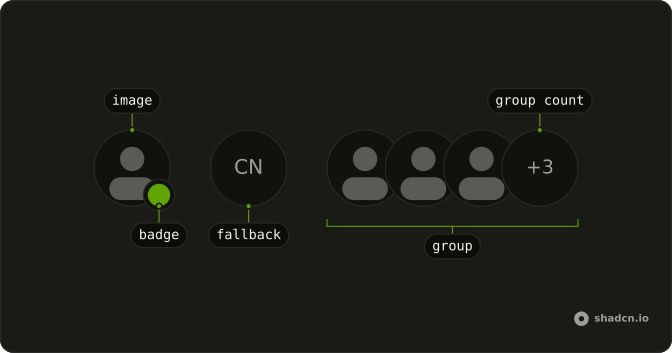
A photo with square corners has a muted dot at the bottom corner. A hidden label on the dot says Offline. The initials CN show only if the picture fails.
Use it for an integration or a service that is disconnected, not for a person who stepped away. Pair it with a round photo for people. A Badge can spell out Offline if the dot is too quiet. In Solid, Ark UI does not detect the outage.
Installation
Anatomy
Usage
<Avatar class="rounded-lg after:rounded-lg">
    <AvatarImage alt="@shadcn" class="rounded-lg" height={32} src="https://github.com/shadcn.png" width={32} />
    <AvatarFallback class="rounded-lg">CN</AvatarFallback>
    <AvatarBadge class="bg-muted-foreground">
      <span class="sr-only">Offline</span>
    </AvatarBadge>
  </Avatar>
FAQ
How is the square avatar set up?
rounded-lg goes on Avatar, AvatarImage, and AvatarFallback, plus after:rounded-lg on Avatar for the border. The status dot stays circular.
How is the offline dot made?
AvatarBadge has bg-muted-foreground and sits on the bottom end corner with a ring. The muted token follows the theme.
What names the dot for assistive tech?
A visually hidden "Offline" inside AvatarBadge. The icon slot is empty, so that text is the whole label.
What shows when there is no photo?
AvatarFallback shows CN with the same rounded-lg. AvatarImage still has alt and a 32 by 32 size for when the photo loads.
API Reference
Avatar
Sets alt="@shadcn", height={32}, src="https://github.com/shadcn.png" and width={32}. The rest is on the Avatar page.


