shadcn.io is an independent project built on shadcn/ui
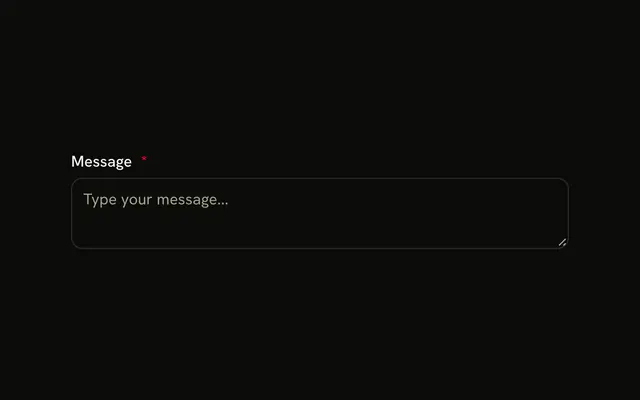
A textarea is dimmed and shows the placeholder This textarea is disabled. Its accessible name is Message. It cannot be focused or edited.
Use it for a field that is unavailable, such as one locked until another choice is made. If people should still select and copy the text, keep it read-only instead. One line belongs in an Input. In Solid, Ark UI does not explain why it is off.
Installation
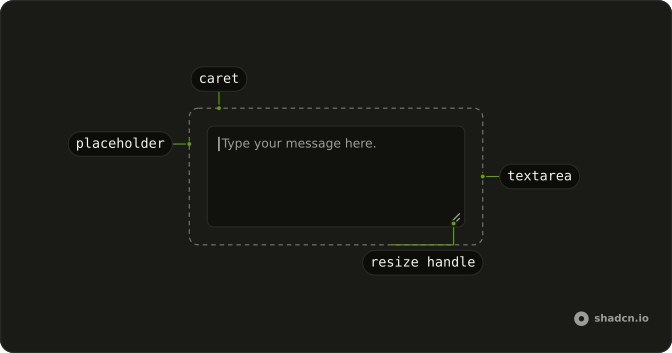
Anatomy
Usage
<Textarea aria-label="Message" class="max-w-md bg-background" disabled placeholder="This textarea is disabled" />FAQ
What's the difference between disabled and readOnly?
A disabled Textarea is dimmed, can't be focused, is skipped by Tab, and its value is left out when the form submits. A readOnly one looks like any other field, can be focused, lets people select and copy its text, and submits its value. Use disabled when the field doesn't apply yet, and readOnly when the value should be seen and sent but not changed, as in the Read-only Textarea example.
Can I customize the styling of disabled textareas?
Yes. The Textarea already has disabled:opacity-50 and disabled:cursor-not-allowed, and classes you pass with the disabled: variant add to them, for example disabled:bg-muted. Keep the state clearly different from an editable field, since the styling is the only cue sighted users get.
How do I conditionally enable or disable a textarea?
Bind disabled to a boolean from your component's state, such as a saving flag or a permission check, instead of hard-coding it. The Textarea turns editable again as soon as the value is false.
Should I show a tooltip explaining why the textarea is disabled?
Explain it, but in visible text such as a FieldDescription under the field. A tooltip on the Textarea itself never opens for keyboard users, because a disabled field can't receive focus, and touch users have no hover to open it.
API Reference
Textarea
Sets aria-label="Message", disabled and placeholder="This textarea is disabled". The rest is on the Textarea page.