shadcn.io is an independent project built on shadcn/ui
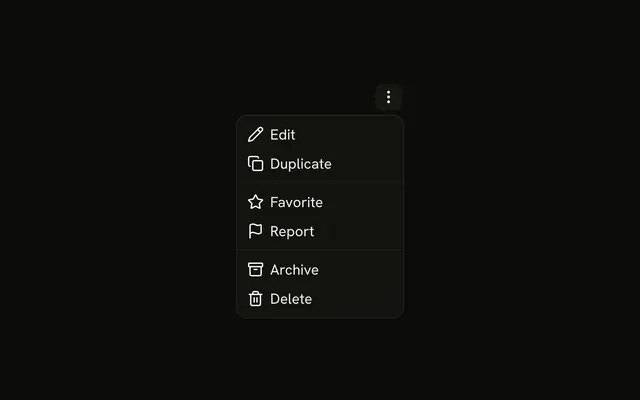
A dots button opens Edit, Duplicate, a Share submenu, Archive, and a destructive Delete. Share holds Email, Twitter, Facebook, and LinkedIn.
Use it on a card when share targets would push the card's own actions out of sight. A right-click list is a Context Menu. In Solid, Ark UI opens Share and does not send it.
Installation
Anatomy

Usage
<DropdownMenu>
    <DropdownMenuTrigger asChild={props => <Button {...props()} aria-label="Card actions" size="icon-sm" variant="ghost">
        <MoreHorizontalIcon aria-hidden="true" />
      </Button>} />
    <DropdownMenuContent class="w-48">
      <DropdownMenuItem value="edit">
        <PencilIcon aria-hidden="true" />
        Edit
      </DropdownMenuItem>
      <DropdownMenuItem value="duplicate">
        <CopyIcon aria-hidden="true" />
        Duplicate
      </DropdownMenuItem>
      <DropdownMenuSeparator />
      <DropdownMenuSub>
        <DropdownMenuSubTrigger>
          <Share2Icon aria-hidden="true" />
          Share
        </DropdownMenuSubTrigger>
        <DropdownMenuSubContent>
          <DropdownMenuItem value="email">
            <MailIcon aria-hidden="true" />
            Email
          </DropdownMenuItem>
          <DropdownMenuItem value="twitter">
            <AtSignIcon aria-hidden="true" />
            Twitter
          </DropdownMenuItem>
          <DropdownMenuItem value="facebook">
            <ThumbsUpIcon aria-hidden="true" />
            Facebook
{/* The rest of the file is under Installation. */}
FAQ
What opens the card actions?
A ghost Button with size="icon-sm" and aria-label set to Card actions, holding a dots icon that is aria-hidden.
Where does the menu open?
Below the button, lined up with its end edge, and it flips to stay on screen. The menu is w-48.
That is DropdownMenu's default bottom-end placement. Pass positioning with another placement to move it.
What is the order of the rows?
Edit, Duplicate, a separator, the Share submenu, a separator, then Archive and Delete. Each row starts with an icon that is aria-hidden.
API Reference
Dropdown Menu
Sets asChild, props, value="edit", value="duplicate", value="email" and value="twitter". The rest is on the Dropdown Menu page.
Button
Sets props, aria-label="Card actions", size="icon-sm" and variant="ghost". The rest is on the Button page.