shadcn.io is an independent project built on shadcn/ui
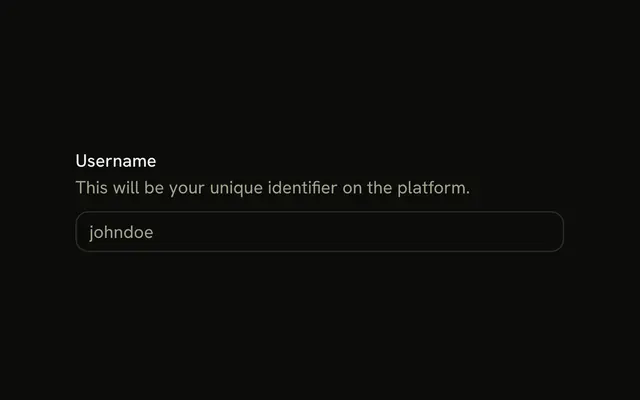
A Name label above a text field. The placeholder is Enter your name. There is no description, no icon, and no error.
Start here for almost any short text value. A placeholder alone is not a name for the field. Add a hint or an error on the Field when Name is not enough. In Solid, Ark UI connects the label to the input.
Installation
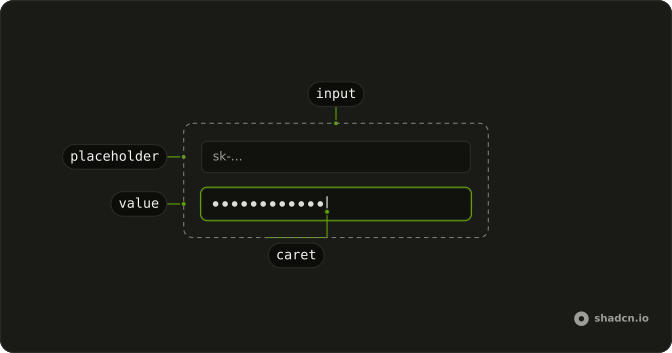
Anatomy
Usage
<Field class="w-full max-w-sm">
    <FieldLabel>Name</FieldLabel>
    <Input class="bg-background" placeholder="Enter your name" type="text" />
  </Field>
FAQ
How is the field built?
Field stacks its children vertically with a gap: FieldLabel first, then the Input. w-full max-w-sm sets the width.
How is the label tied to the input?
Clicking the label focuses the field, and screen readers announce it with the field.
Field links FieldLabel to the input inside it, so there is no id to match.
Why not use only a placeholder?
A placeholder disappears as soon as people type, isn't a reliable accessible name, and is low contrast. Keep the label; use the placeholder, Enter your name, only as a hint.
API Reference
Field
No extra props in this demo. The rest is on the Field page.
Input
Sets placeholder="Enter your name" and type="text". The rest is on the Input page.