shadcn.io is an independent project built on shadcn/ui
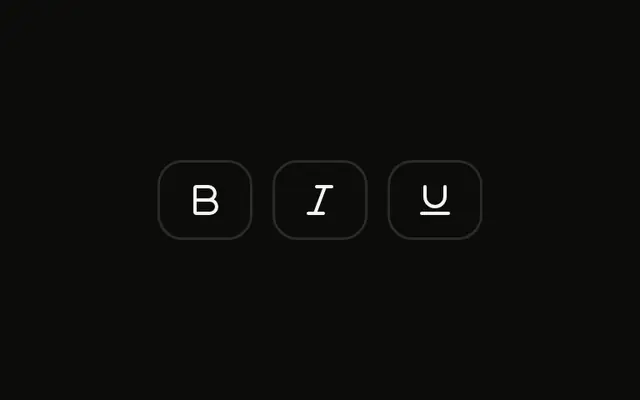
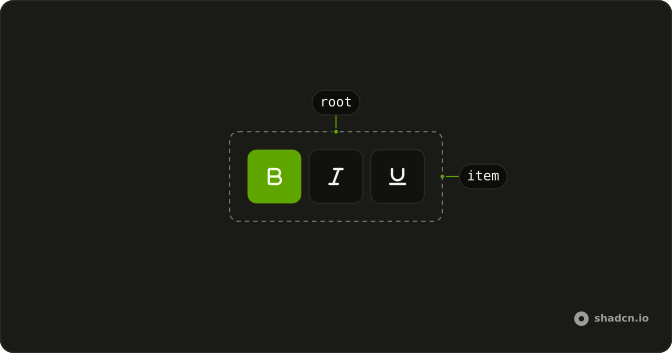
Three outline icon buttons for bold, italic and underline, each with a visible border. Several can be pressed. None start pressed.
Use the outline when the buttons need an edge on a busy bar. A Button Group fits actions that are not on or off. On Solid, Ark UI does not apply the formats to text.
Installation
Anatomy
Usage
<ToggleGroup aria-label="Text formatting" multiple variant="outline">
    <ToggleGroupItem aria-label="Toggle bold" value="bold">
      <BoldIcon aria-hidden="true" />
    </ToggleGroupItem>
    <ToggleGroupItem aria-label="Toggle italic" value="italic">
      <ItalicIcon aria-hidden="true" />
    </ToggleGroupItem>
    <ToggleGroupItem aria-label="Toggle underline" value="underline">
      <UnderlineIcon aria-hidden="true" />
    </ToggleGroupItem>
  </ToggleGroup>
FAQ
What's the visual difference between default and outline variants?
Both variants are transparent while unpressed and fill with the muted background when pressed. The default variant has no border, so the items only appear on hover or when pressed; the outline variant adds a border in the input border color, so each item reads as a button from the start.
Are outline toggle groups accessible with sufficient contrast?
The variant doesn't change how the group is announced or used from the keyboard. For contrast, the input border color is meant to be visible against the background in both light and dark themes; if you change it, keep at least 3:1 against the surface, and check the pressed fill as well, since it's what tells pressed and unpressed apart.
Can I customize the outline border colors?
Yes. Add a border class to each ToggleGroupItem, such as border-primary, or style the pressed item only.
The pressed item has data-state="on", so use data-[state=on]:border-primary.
When should I use outline instead of default toggle groups?
Use the outline variant when the group sits on a busy or tinted surface, when the buttons need to be visible before anyone hovers them, or when nearby buttons are outline too. Use the default variant inside a toolbar that already has its own frame, where a border on every item adds noise.
Does the outline variant work with both single and multiple selection?
Yes. The variant only changes the look, and the selection mode only changes the behavior. This example allows multiple selection; the Single Selection Toggle Group example uses the outline variant with one pressed item at a time.
Do outline toggle groups work well on mobile devices?
Yes. The border helps people see the targets on small screens and in bright light. The default size is still smaller than the 44 pixel touch target in most styles, so on touch-first screens use size="lg" or keep the default spacing between items so a tap can't land on the wrong one.
API Reference
Toggle Group
Sets aria-label="Text formatting", multiple, variant="outline", aria-label="Toggle bold", value="bold" and aria-label="Toggle italic". The rest is on the Toggle Group page.