shadcn.io is an independent project built on shadcn/ui
A row shows a muted spinner, the title Loading user profile, and Please wait while we fetch your data. The rest of a list could already be ready. This file does not fetch anything.
Use it when one row loads on its own. If you know the shape of the profile, a Skeleton can stand in for the text. In Solid, Ark UI gives the spinner role status and the label Loading.
Installation
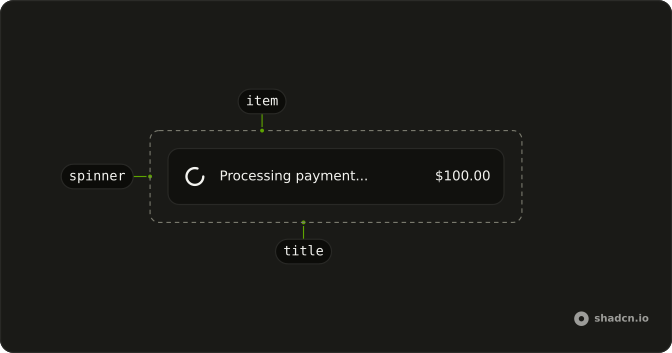
Anatomy
Usage
<Item>
    <ItemMedia>
      <Spinner class="text-muted-foreground" />
    </ItemMedia>
    <ItemContent>
      <ItemTitle>Loading user profile</ItemTitle>
      <ItemDescription>Please wait while we fetch your data</ItemDescription>
    </ItemContent>
  </Item>
FAQ
Which item parts does this row use?
Item, then ItemMedia, then ItemContent with ItemTitle and ItemDescription. ItemMedia leaves variant at its default. The spinner is the media.
How is the spinner muted?
className is text-muted-foreground on the Spinner. The icon uses currentColor, so that class is the color. The size stays the default size-4.
What do the title and description say?
ItemTitle is "Loading user profile". ItemDescription is "Please wait while we fetch your data". Both are visible text beside the spinner.
What does a screen reader announce?
The title and description are read as text. The spinner has role="status" and an aria-label of Loading. Pass aria-label="Loading user profile" on the Spinner when the status should match the title.
API Reference
Item
No extra props in this demo. The rest is on the Item page.
Spinner
No extra props in this demo. The rest is on the Spinner page.