shadcn.io is an independent project built on shadcn/ui
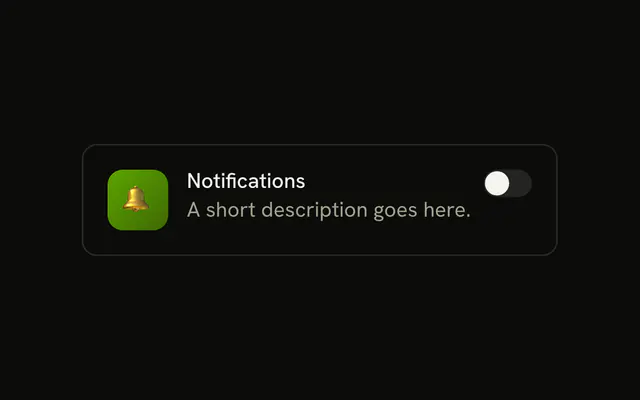
A bordered card shows a plus icon on a primary tile, the label Enable Feature, the line A short description goes here, and a switch that starts off.
Use a card when one feature needs an icon and a sentence of its own. A plain row is enough for a list of settings. If it submits with a form, a Checkbox matches that save. In Solid, Ark UI does not store Enable Feature anywhere else.
Installation
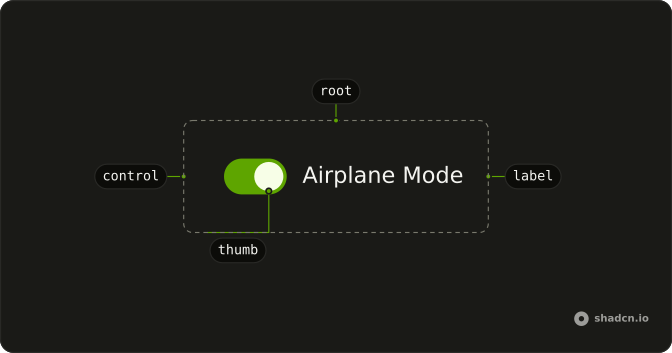
Anatomy
Usage
<div class="flex items-start gap-3 rounded-lg border bg-background p-4">
    <div class="flex size-10 shrink-0 items-center justify-center rounded-lg bg-primary text-primary-foreground">
      <PlusIcon aria-hidden="true" class="size-5" />
    </div>
    <Field class="flex-1" orientation="horizontal">
      <FieldContent>
        <FieldLabel class="font-medium">Enable Feature</FieldLabel>
        <FieldDescription>A short description goes here.</FieldDescription>
      </FieldContent>
      <Switch />
    </Field>
  </div>
FAQ
How is the plus icon drawn?
PlusIcon is size-5 inside a size-10 shrink-0 rounded-lg tile with bg-primary text-primary-foreground, so it follows your theme. The card is flex items-start gap-3 rounded-lg border bg-background p-4.
How is Enable Feature tied to the switch?
A horizontal Field holds a FieldContent, with the FieldLabel and the FieldDescription, and then the Switch.
The Field links the label to the switch, so this file sets no ids.
How do I control this switch in Solid?
Nothing in this file sets the on state, so the switch starts off and keeps its own state. To control it, keep the on or off state in your own state and pass it back. To start it on, use the default prop.
The prop is defaultChecked.
Pass checked; onCheckedChange receives details.checked.
Does this switch submit with a form?
Give it a name. When on, it submits its value, which defaults to on. When off, it submits nothing.
API Reference
Field
Sets orientation="horizontal". The rest is on the Field page.
Switch
No extra props in this demo. The rest is on the Switch page.