shadcn.io is an independent project built on shadcn/ui
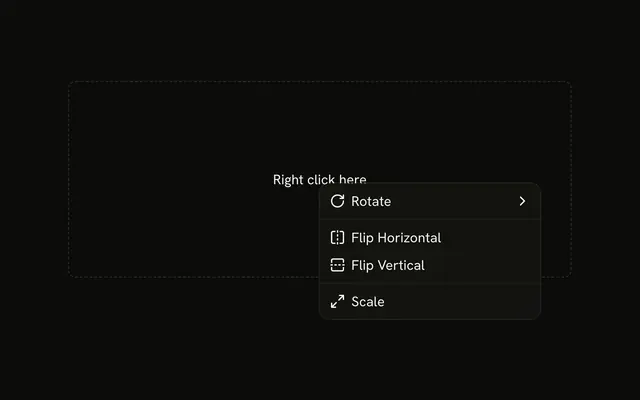
The dashed area reads Right click here. Align lists Align Left through Align Bottom. Distribute lists Distribute Horizontally and Distribute Vertically.
Use it on a canvas selection, where lining objects up should happen in place. Put the same actions on a visible Dropdown Menu as well. In Svelte, Ark UI opens this menu from the right-click.
Installation
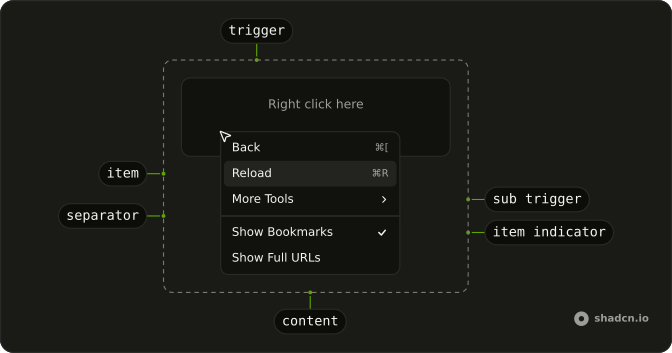
Anatomy
Usage
<ContextMenu><ContextMenuTrigger class="flex h-[200px] w-full max-w-lg items-center justify-center rounded-md border border-dashed text-sm"><span class="pointer-fine:inline-block hidden">Right click here</span><span class="pointer-coarse:inline-block hidden">Long press here</span></ContextMenuTrigger><ContextMenuContent class="w-56"><ContextMenuSub><ContextMenuSubTrigger><AlignLeftIcon aria-hidden="true" />Align</ContextMenuSubTrigger><ContextMenuSubContent class="w-48"><ContextMenuGroup><ContextMenuItem value="align-left"><AlignLeftIcon aria-hidden="true" />Align Left</ContextMenuItem><ContextMenuItem value="align-center"><AlignCenterIcon aria-hidden="true" />Align Center</ContextMenuItem><ContextMenuItem value="align-right"><AlignRightIcon aria-hidden="true" />Align Right</ContextMenuItem><ContextMenuItem value="align-top"><AlignVerticalJustifyCenterIcon aria-hidden="true" />Align Top</ContextMenuItem><ContextMenuItem value="align-middle"><AlignVerticalJustifyCenterIcon aria-hidden="true" />Align Middle</ContextMenuItem><ContextMenuItem value="align-bottom"><AlignVerticalJustifyCenterIcon aria-hidden="true" />Align Bottom</ContextMenuItem></ContextMenuGroup></ContextMenuSubContent></ContextMenuSub><ContextMenuSeparator /><ContextMenuSub><ContextMenuSubTrigger><AlignHorizontalJustifyCenterIcon aria-hidden="true" />Distribute</ContextMenuSubTrigger><ContextMenuSubContent class="w-48"><ContextMenuGroup><ContextMenuItem value="distribute-horizontally">Distribute Horizontally</ContextMenuItem><ContextMenuItem value="distribute-vertically">Distribute Vertically</ContextMenuItem></ContextMenuGroup></ContextMenuSubContent></ContextMenuSub></ContextMenuContent></ContextMenu>FAQ
What do the submenus hold?
Align lists Align Left, Center, Right, Top, Middle and Bottom, each with an icon; Distribute lists Distribute Horizontally and Distribute Vertically as text.
What opens the menu?
A right-click inside the dashed area, which reads Right click here on a mouse and Long press here on a touch screen.
The area is ContextMenuTrigger; a long press on it opens the menu too.
Wrap your own row, file or canvas in the trigger instead.
How do I run an action when an item is chosen?
Each item has a value; handle onSelect on ContextMenu, which receives { value }.
The menu closes after the action runs.
How do keyboard and touch users find these actions?
The arrow keys move through an open menu, Enter runs an item and Escape closes it. A right-click is easy to miss, so also offer the same actions from a visible button, such as a Dropdown Menu.
API Reference
Context Menu
Sets value="align-left", value="align-center", value="align-right", value="align-top", value="align-middle" and value="align-bottom". The rest is on the Context Menu page.