shadcn.io is an independent project built on shadcn/ui
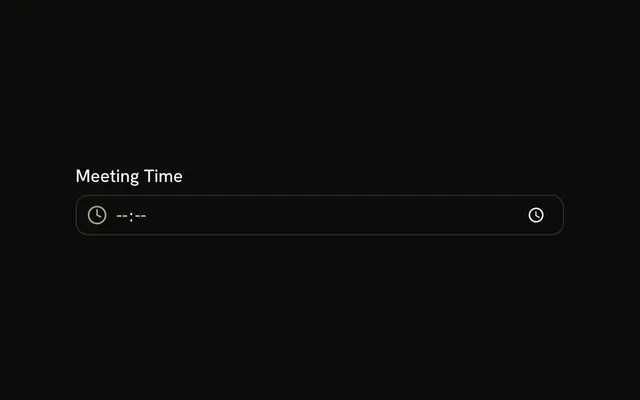
An Amount label, a dollar icon inside the field, and the placeholder 0.00. Under it, the line says the amount is in USD. It is a number field that steps by one cent.
Use it for a price, a payment, or a budget in dollars. Step buttons that keep a minimum for you are Number Input. In Svelte, Ark UI does not put the dollar sign into the value.
Installation
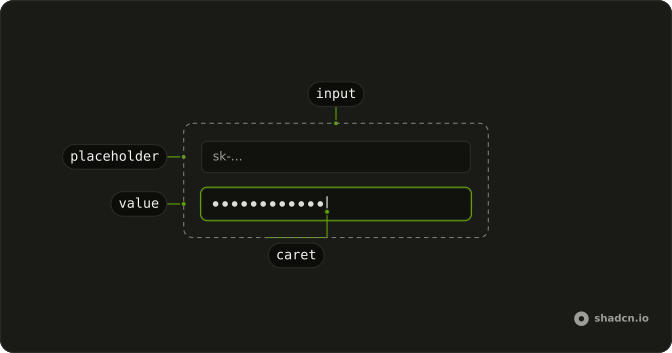
Anatomy
Usage
<Field class="w-full max-w-sm"><FieldLabel>Amount</FieldLabel><InputGroup class="bg-background"><InputGroupInput min="0" placeholder="0.00" step="0.01" type="number" /><InputGroupAddon><DollarSignIcon aria-hidden="true" /></InputGroupAddon></InputGroup><FieldDescription>Enter amount in USD</FieldDescription></Field>FAQ
What does type number give this field?
A number field. step is 0.01, so the arrows and the browser's validation work in cents, and min is 0, so the browser rejects a negative amount when the form is submitted. The placeholder 0.00 hints at the format.
How is the icon placed inside the field?
The field is an InputGroup: InputGroupInput is the input and InputGroupAddon holds DollarSignIcon. The addon comes after the input in the markup and sits at the inline start, so it is on the left in left-to-right text and on the right in right-to-left text. Clicking it focuses the input.
Is the icon read by screen readers?
No. DollarSignIcon has aria-hidden, because the Amount label already names the field. The icon is a visual hint only.
How is Amount tied to the field?
Clicking the label focuses the field, and screen readers announce it with the field.
Field links FieldLabel to the input inside it, so there is no id to match.
API Reference
Field
No extra props in this demo. The rest is on the Field page.
Input Group
Sets min="0", placeholder="0.00", step="0.01" and type="number". The rest is on the Input Group page.