shadcn.io is an independent project built on shadcn/ui
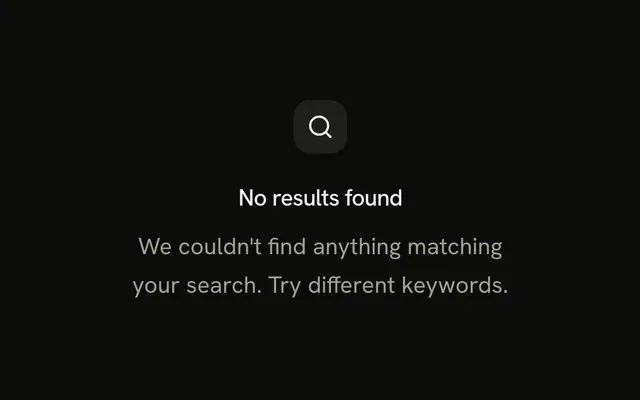
A large search icon, the title No results for your search, and two sentences about other keywords, spelling, and browsing categories. There is no button.
Use it where search is the main way in. If a category list would help more than advice, link it with a Button. In Svelte, Ark UI does not suggest keywords.
Installation
Anatomy
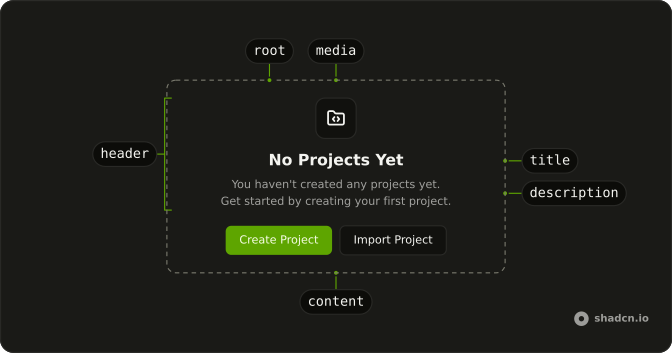
Usage
<Empty><EmptyHeader><EmptyMedia><SearchIcon aria-hidden="true" class="size-8 text-muted-foreground" /></EmptyMedia><EmptyTitle>No results for your search</EmptyTitle><EmptyDescription>Try using different keywords or check the spelling. You can also browse our categories to find what you're looking for.</EmptyDescription></EmptyHeader></Empty>FAQ
Why is the search icon size-8?
EmptyMedia has no variant, so it does not draw the icon tile. SearchIcon sets size-8 and text-muted-foreground itself.
What does the longer description say?
EmptyTitle is "No results for your search". EmptyDescription is two sentences: try different keywords or check the spelling, then browse categories to find what you need.
Are the categories a link?
No. That sentence is plain text inside EmptyDescription. There is no anchor and no EmptyContent.
What changes if I set variant icon?
variant="icon" draws the icon tile and sizes an unsized glyph. This demo leaves the variant off so size-8 on SearchIcon is the size you see.
API Reference
Empty
No extra props in this demo. The rest is on the Empty page.