shadcn.io is an independent project built on shadcn/ui
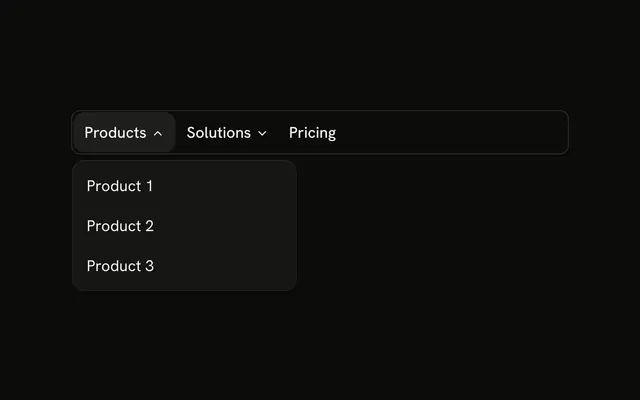
The bar shows Products and Company. Products lists Product 1 through Product 4. Company lists About, Team, Careers, and Contact. Each list opens under its own trigger.
Keep each panel under its own trigger when the lists are short. A Dropdown Menu fits one menu that is not part of a site bar. In Svelte, Ark UI moves between the triggers with Tab.
Installation
Anatomy
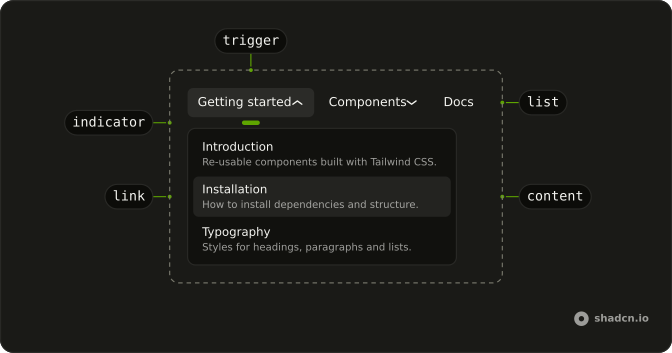
Usage
<div class="w-full max-w-md rounded-md border bg-background p-px"><NavigationMenu><NavigationMenuList>{#each sections as section (section.trigger)}<NavigationMenuItem><NavigationMenuTrigger>{section.trigger}</NavigationMenuTrigger><NavigationMenuContent><div class="flex w-48 flex-col">{#each section.items as item (item.label)}<NavigationMenuLink>{#snippet asChild(props)}<a {...props({ href: item.href })}>{item.label}</a>{/snippet}</NavigationMenuLink>{/each}</div></NavigationMenuContent></NavigationMenuItem>{/each}</NavigationMenuList></NavigationMenu></div>FAQ
How does each panel open under its own trigger?
Every NavigationMenuItem opens its own panel under its trigger, so there is no viewport to turn off and no prop to pass.
What are the links?
Products lists Product 1 to Product 4, and Company lists About, Team, Careers and Contact, from two sections at the top of the file.
How do the links use my router?
Each link is your router's link rendered through NavigationMenuLink, so it keeps the menu's styles and focus handling.
The demo puts an anchor inside NavigationMenuLink. SvelteKit routes plain links, so that is enough.
API Reference
Navigation Menu
No extra props in this demo. The rest is on the Navigation Menu page.