shadcn.io is an independent project built on shadcn/ui
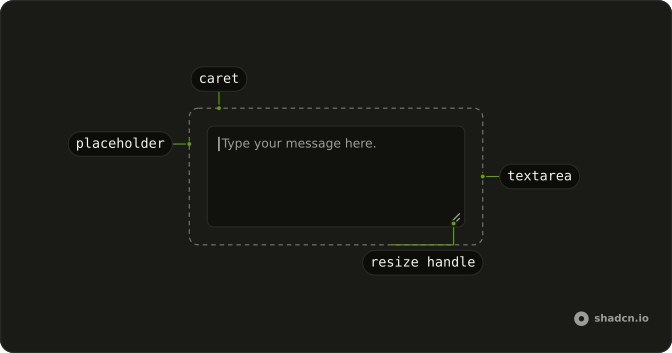
A single textarea shows the placeholder Type your message here. Its accessible name is Message. There is no visible label, description, or button.
Use it where the surrounding screen already says what to type. In a form, add a visible label. One line of text belongs in an Input. In Svelte, Ark UI does not name the field for you.
Installation
Anatomy
Usage
<Textarea aria-label="Message" class="max-w-md bg-background" placeholder="Type your message here..." />FAQ
Can placeholder text replace a visible label?
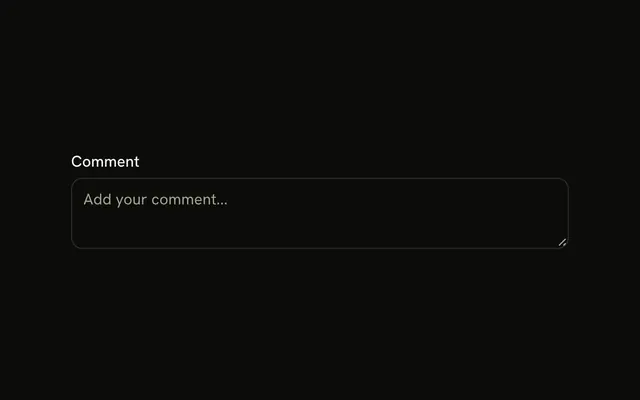
No. The placeholder disappears as soon as people type, so they lose track of what the field is for, and it isn't a reliable accessible name. This demo sets aria-label because it has no visible label; in a form, put the Textarea in a Field with a FieldLabel, as the Textarea with Label example does.
How do I prevent users from resizing the textarea?
Add resize-none to its classes to hide the drag handle, or resize-y to allow height changes only. The Textarea already grows with its content where field-sizing is supported, so many layouts don't need the handle at all.
What's the default height if I don't specify rows?
The Textarea has field-sizing-content and min-h-16: it starts at that minimum and grows with each line of text. In browsers without field-sizing it keeps the minimum height and scrolls. Set a max height such as max-h-40 to stop it growing past a point.
Should I use value or defaultValue for this textarea?
Neither is needed here: the Textarea is uncontrolled and the browser keeps what's typed, which the form submits under its name. Set a default value to prefill it, and bind the value from state only when you react to every change, such as a character count.
API Reference
Textarea
Sets aria-label="Message" and placeholder="Type your message here...". The rest is on the Textarea page.