shadcn.io is an independent project built on shadcn/ui
The block shows a spinner, the title Processing your request, the warning Please wait while we process your request. Do not refresh the page, and a Cancel button. The button has no click handler.
Use a full block when a long task needs a title and a way to stop. The Cancel here does not stop anything until you wire it. A known percent fits Progress. In Svelte, Ark UI does not run the task. The spinner just shows.
Installation
Anatomy
Usage
<Empty class="w-full"><EmptyHeader><EmptyMedia variant="icon"><Spinner /></EmptyMedia><EmptyTitle>Processing your request</EmptyTitle><EmptyDescription>Please wait while we process your request. Do not refresh the page.</EmptyDescription></EmptyHeader><EmptyContent><Button size="sm" variant="outline">Cancel</Button></EmptyContent></Empty>FAQ
Where does the spinner sit in the empty state?
Inside EmptyMedia with variant set to icon, in the EmptyHeader. The Spinner is the default size, with role="status" and an aria-label of Loading.
What do the title and description say?
EmptyTitle is "Processing your request". EmptyDescription is "Please wait while we process your request. Do not refresh the page." Both are visible text under the spinner.
What is the Cancel button?
A Button in EmptyContent, with size sm and variant outline, labeled Cancel. It sits under the header. This file does not attach a click handler.
Which empty parts does this file use?
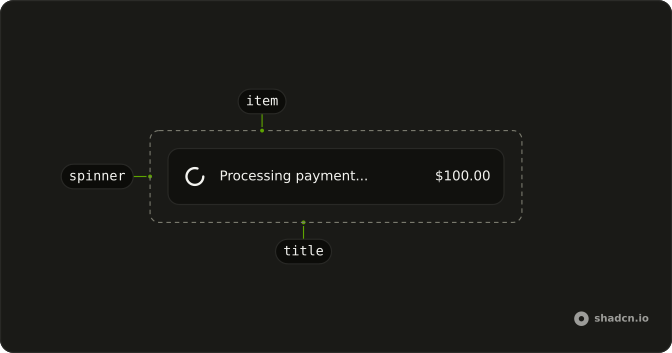
Empty wraps EmptyHeader and EmptyContent. The header holds EmptyMedia, EmptyTitle, and EmptyDescription. Empty has className w-full.
API Reference
Empty
Sets variant="icon". The rest is on the Empty page.
Spinner
No extra props in this demo. The rest is on the Spinner page.
Button
Sets size="sm" and variant="outline". The rest is on the Button page.