shadcn.io is an independent project built on shadcn/ui
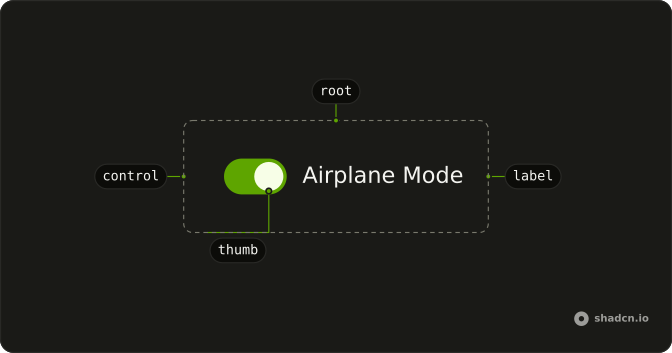
The switch comes first and starts off. The label Airplane Mode sits beside it. Clicking the label toggles the switch, and the name is read with it.
Use a visible label for most single settings. An icon-only switch needs an accessible name instead. A choice that submits with a form fits a Checkbox. In React, Base UI toggles this switch with Space and with Enter.
Installation
Anatomy
Usage
<Field className="w-fit" orientation="horizontal">
  <Switch id="switch-with-label-airplane" />
  <FieldLabel htmlFor="switch-with-label-airplane">Airplane Mode</FieldLabel>
</Field>
FAQ
Why does Airplane Mode toggle the switch?
The Switch and a FieldLabel sit in a horizontal Field with w-fit.
The Switch has an id, and the FieldLabel points at it with htmlFor.
How do I control this switch in React?
Nothing in this file sets the on state, so the switch starts off and keeps its own state. To control it, keep the on or off state in your own state and pass it back. To start it on, use the default prop.
The prop is defaultChecked.
Pass checked; onCheckedChange receives the new boolean.
Should this be a Switch or a Checkbox?
Use a Switch for a setting that takes effect at once. Use a Checkbox for a choice that is submitted later with a form, or when several options can be picked in a list.
Does this switch submit with a form?
Give it a name. When on, it submits its value, which defaults to on. When off, it submits nothing.
With Base UI, uncheckedValue sets what it submits when off.
API Reference
Field
Sets orientation="horizontal" and htmlFor="switch-with-label-airplane". The rest is on the Field page.
Switch
Sets id="switch-with-label-airplane". The rest is on the Switch page.