shadcn.io is an independent project built on shadcn/ui
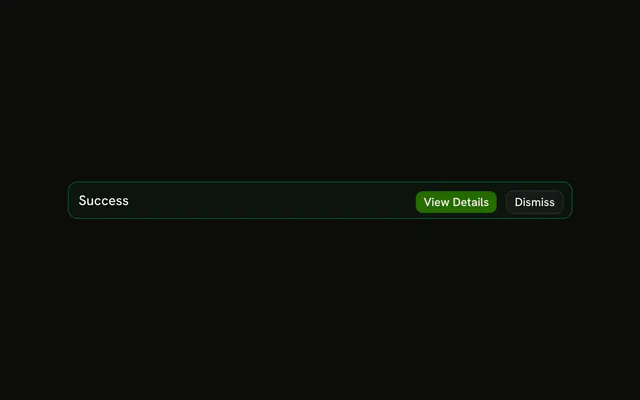
A check icon in the success color, the title Success, and a line that the changes are saved and live. View Details is filled. Dismiss is outlined. The buttons are not wired.
Use it when a confirmation should stay and people may open the details. A quick saved note can be Sonner instead. In Vue, Ark UI will not hide this on a timer.
Installation
Anatomy

Usage
<Alert class="max-w-lg" variant="success">
  <CircleCheckIcon aria-hidden="true" />
  <AlertTitle>Success</AlertTitle>
  <AlertDescription>
    Your changes have been saved successfully and are now live.
  </AlertDescription>
  <AlertAction class="flex gap-2">
    <Button size="xs">View Details</Button>
    <Button size="xs" variant="outline">Dismiss</Button>
  </AlertAction>
</Alert>
FAQ
What is in this success alert?
CircleCheckIcon first, then AlertTitle, AlertDescription, and View Details plus Dismiss in AlertAction. The root is variant="success" with className="max-w-lg".
What color is the CircleCheck icon?
The theme's --success color, set by variant="success" on the alert. You don't add color or size classes to the icon; the alert handles both, and the text keeps its regular colors.
API Reference
Alert
Sets variant="success". The rest is on the Alert page.
Button
Sets size="xs" and variant="outline". The rest is on the Button page.