shadcn.io is an independent project built on shadcn/ui
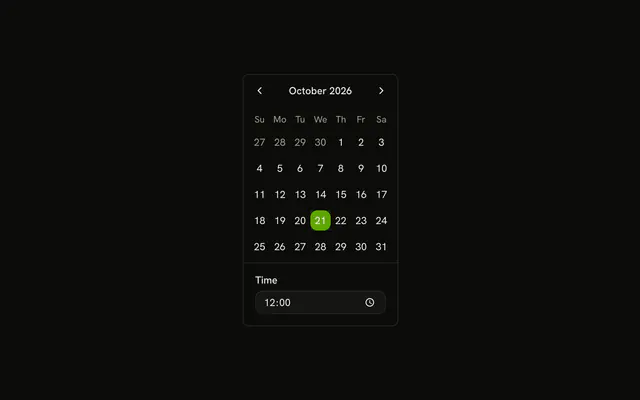
Select Date & Time opens a dialog with that title. A month grid sits above a Time field that starts at 12:00. The day and the time stay separate.
Use it when date and time should be chosen without leaving the task. Show the grid on the page if it is the whole task. A Date Picker fits a form that only has room for a field. In Vue, Ark UI does not combine the two values.
Installation
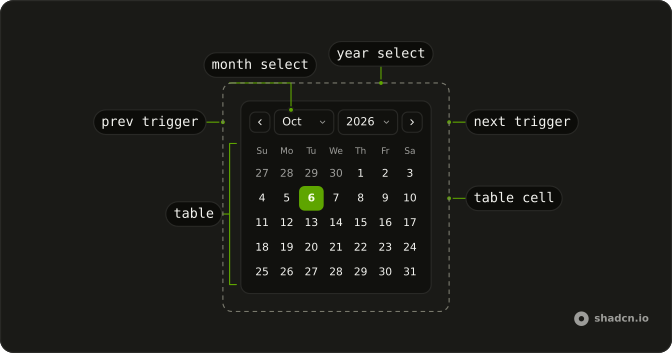
Anatomy
Usage
<Dialog>
<DialogTrigger :asChild="true">
<Button variant="outline">Select Date & Time</Button>
</DialogTrigger>
<DialogContent class="sm:max-w-fit">
<DialogHeader><DialogTitle>Select Date & Time</DialogTitle></DialogHeader>
<div class="divide-y overflow-hidden rounded-md border bg-background">
<Calendar @value-change="handleValueChange" :value="value">
<CalendarViewControl>
<CalendarPrevTrigger />
<CalendarViewDate />
<CalendarNextTrigger />
</CalendarViewControl>
<CalendarTable><CalendarWeekDays /><CalendarTableDays /></CalendarTable>
</Calendar>
<Field class="p-4">
<FieldLabel>Time</FieldLabel>
<Input @input="handleTimeChange" type="time" :value="time" />
</Field>
</div>
</DialogContent>
</Dialog>FAQ
How do I read the selected date?
value is a list holding the selected date, and onValueChange receives { value }. This demo starts the list from parseDate(new Date()).
How is the time entered?
The time is an Input with type="time" inside a Field. FieldLabel reads Time, value starts at 12:00, and onChange stores event.target.value in its own state. Changing the time leaves the calendar date as it is.
Are the date and the time one value?
date and time are two pieces of state. The calendar updates date, and the input updates time. This demo keeps the hours and minutes on the time state.
How is the input attached to the calendar?
Inside the dialog, a divide-y stack with overflow-hidden, rounded-md and border holds the calendar, then the field. The field has p-4.
API Reference
Dialog
Sets asChild. The rest is on the Dialog page.
Button
Sets variant="outline". The rest is on the Button page.
Calendar
Sets value-change="handleValueChange" and value="value". The rest is on the Calendar page.
Field
No extra props in this demo. The rest is on the Field page.
Input
Sets input="handleTimeChange", type="time" and value="time". The rest is on the Input page.