shadcn.io is an independent project built on shadcn/ui
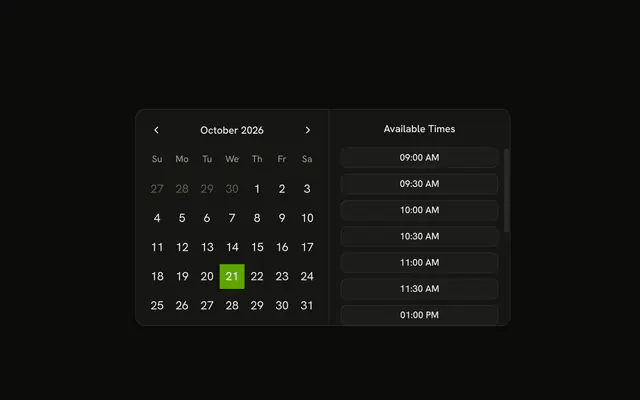
A month grid sits beside Quick Select. The buttons are Today, Tomorrow, In 3 days, In a week, In 2 weeks, and In a month. Choosing one selects that day and shows its month. Nothing here parses a typed sentence.
Use it when common offsets should be one click. A free-text date belongs in a field, not in this list. Hide the grid in a Date Picker if the page is crowded. In Vue, Ark UI does not read a phrase like next Tuesday.
Installation
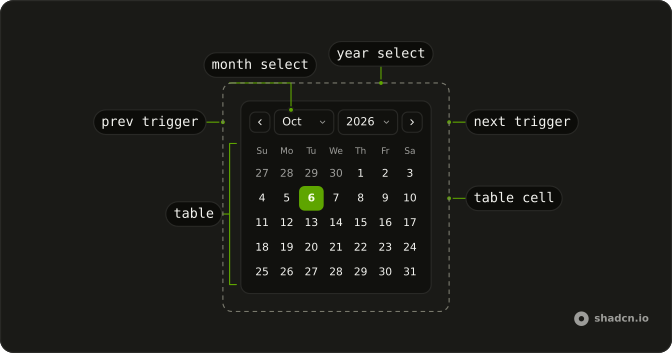
Anatomy
Usage
<Calendar
  class="flex divide-x overflow-hidden rounded-md border p-0"
  @value-change="handleValueChange"
  :value="value"
>
  <div class="p-3">
    <CalendarViewControl>
      <CalendarPrevTrigger />
      <CalendarViewDate />
      <CalendarNextTrigger />
    </CalendarViewControl>
    <CalendarTable><CalendarWeekDays /><CalendarTableDays /></CalendarTable>
  </div>
  <div class="relative w-62 overflow-hidden">
    <div class="absolute inset-0 flex flex-col gap-4">
      <p class="px-4 pt-4 text-center font-medium text-sm">Quick Select</p>
      <ScrollArea class="min-h-0 flex-1">
        <div class="flex flex-col gap-2 px-4 pb-4">
          <CalendarPresetTrigger
            v-for="shortcut in shortcuts"
            :asChild="true"
            :key="shortcut.label"
            :value="[shortcut.date]"
          >
            <Button size="sm" variant="outline">{{ shortcut.label }}</Button>
          </CalendarPresetTrigger>
        </div>
      </ScrollArea>
    </div>
  </div>
</Calendar>
FAQ
Which shortcuts are in the list?
Today, Tomorrow, In 3 days, In a week, In 2 weeks and In a month.
Each date is today.add with days, weeks or months. today is parseDate(new Date()).
What happens when a shortcut is chosen?
Each shortcut is a CalendarPresetTrigger with that date as value, on a Button through asChild. The trigger sits inside Calendar, so choosing it selects that date.
How do I read the selected date?
value is a list holding the selected date, and onValueChange receives { value }. This demo starts the list from parseDate(new Date()).
API Reference
Calendar
Sets value-change="handleValueChange", value="value", v-for="shortcut in shortcuts", asChild, key="shortcut.label" and value="[shortcut.date]". The rest is on the Calendar page.
Scroll Area
No extra props in this demo. The rest is on the Scroll Area page.
Button
Sets size="sm" and variant="outline". The rest is on the Button page.