shadcn.io is an independent project built on shadcn/ui
A single bar, filled to the halfway point at 50 percent. The rest of the track is empty, and no label is shown.
Use the halfway mark when the task is in the middle and the number matters less than the picture. Name the task in a Field label if the bar sits in a form. In Vue, Ark UI does not time the upload.
Installation
Anatomy
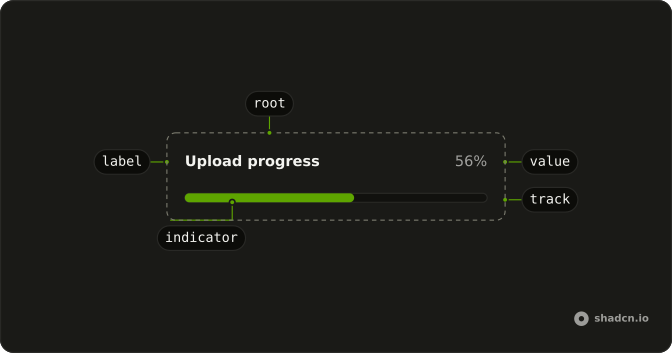
Usage
<Progress aria-label="Upload progress" class="w-full max-w-md" :value="50" />FAQ
What does the bar show?
value is 50 on the default range of 0 to 100, so the fill covers half of the track. w-full max-w-md sets its width.
What is the accessible name?
Ark UI puts the progressbar role on the track and names it with the value text, here 50%. The aria-label, Upload progress, sits on the root element, so put what the bar measures in visible text nearby when it matters.
How do I update the 50?
Change value as the work advances. This demo passes a fixed 50.
Always pass value: without one, Ark UI starts the bar at 50.
Which colors does it use?
The fill is bg-primary and the track bg-muted, from the theme's progress styles. This demo adds no color class.
API Reference
Progress
Sets aria-label="Upload progress" and value="50". The rest is on the Progress page.