shadcn.io is an independent project built on shadcn/ui
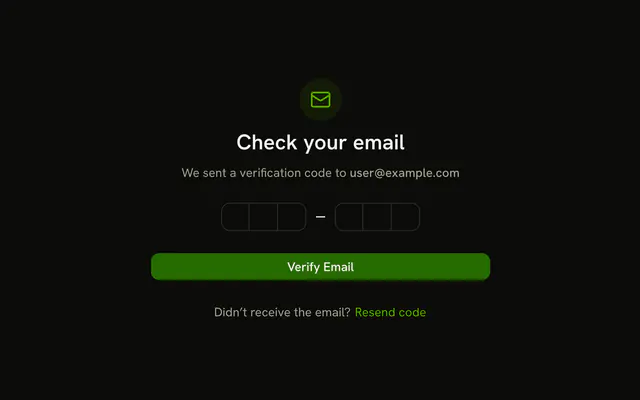
A phone icon sits above Verify your phone and +1 (555) 123-4567. Six boxes follow, then Verify Phone Number, and a line that starts at Resend code in 60s.
Use it after you text a code. A Number Input is the wrong stand-in: it is for a quantity, not a code. In Vue, Ark UI moves to the next box as you type.
Installation
Anatomy
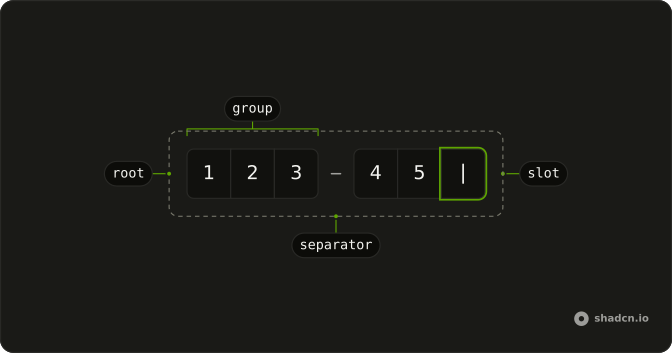
Usage
<div class="flex w-full max-w-sm flex-col gap-6">
  <div class="flex flex-col items-center gap-2 text-center">
    <div class="flex size-12 items-center justify-center rounded-full bg-primary/10">
      <SmartphoneIcon aria-hidden="true" class="size-6 text-primary" />
    </div>
    <h2 class="font-semibold text-2xl">Verify your phone</h2>
    <p class="text-muted-foreground text-sm">
      We sent a code to{{ " " }}<span class="font-medium">+1 (555) 123-4567</span>
    </p>
  </div>
  <form class="flex flex-col gap-6" @submit="handleSubmit">
    <Field :invalid='error !== ""'>
      <FieldLabel class="sr-only">Verification code</FieldLabel>
      <div class="flex justify-center">
        <InputOTP @value-change="handleValueChange" :value="value">
          <InputOTPGroup>
            <InputOTPSlot class="bg-background" :index="0" />
            <InputOTPSlot class="bg-background" :index="1" />
            <InputOTPSlot class="bg-background" :index="2" />
          </InputOTPGroup>
          <InputOTPSeparator />
          <InputOTPGroup>
            <InputOTPSlot class="bg-background" :index="3" />
            <InputOTPSlot class="bg-background" :index="4" />
            <InputOTPSlot class="bg-background" :index="5" />
          </InputOTPGroup>
        </InputOTP>
      </div>
      <FieldError class="text-center">{{ error }}</FieldError>
    </Field>
    <Button class="w-full" type="submit">Verify Phone Number</Button>
<!-- The rest of the file is under Installation. -->
FAQ
How does the resend countdown work?
The seconds left live in state, starting at 60. An effect lowers them once a second and stops at zero, when the text is replaced by Didn’t receive a code? and the Resend code link.
What does Resend code do?
It restarts the countdown, clears the field and any error, and shows Verification code resent. Call your API there.
What happens when the code is too short?
Submitting shows Verification code must be 6 characters. in FieldError; a full code shows Phone number verified successfully!. The example shows the result in a status line under the form instead of calling an API. Replace that with your request, and show its error in FieldError when the code is rejected.
How is the header built?
A SmartphoneIcon in a size-12 circle with bg-primary/10, the heading Verify your phone, and the number in font-medium.
API Reference
Field
Sets invalid="error !== ". The rest is on the Field page.
Input OTP
Sets value-change="handleValueChange", value="value", index="0", index="1", index="2" and index="3". The rest is on the Input OTP page.
Button
Sets type="submit", click="handleResend", type="button" and variant="link". The rest is on the Button page.