shadcn.io is an independent project built on shadcn/ui
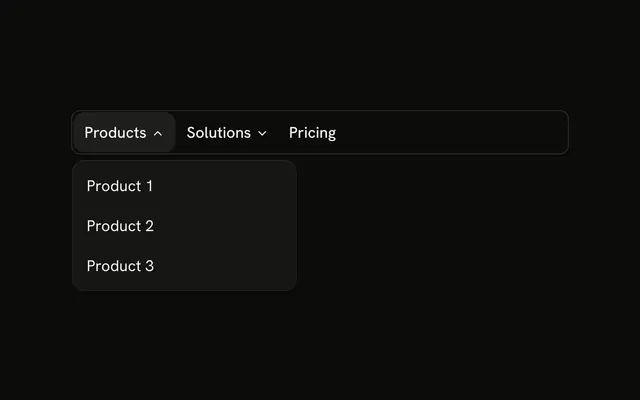
The bar shows Products, Pricing, About, and Support. Products lists Analytics, Marketing, and Commerce. Support lists Help Center, Contact Us, and Status. Pricing and About are links.
Mix links and dropdowns when only some items have children. If every item is one action, use a Menubar. In Vue, Ark UI closes the open panel when you press Escape.
Installation
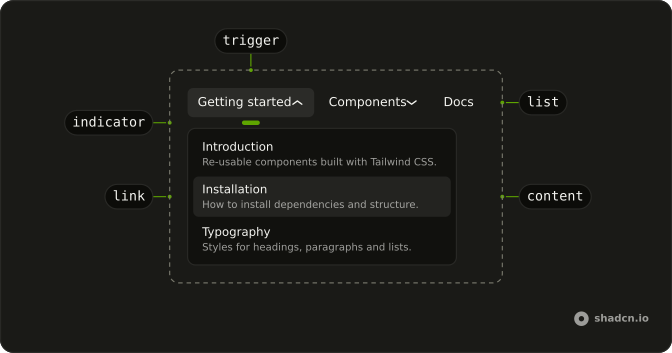
Anatomy
Usage
<div class="w-full max-w-md rounded-md border bg-background p-px">
  <NavigationMenu>
    <NavigationMenuList>
      <NavigationMenuItem>
        <NavigationMenuTrigger>Products</NavigationMenuTrigger>
        <NavigationMenuContent>
          <div class="flex w-48 flex-col">
            <NavigationMenuLink v-for="item in products" :asChild="true" :key="item.label">
              <a :href="item.href">{{ item.label }}</a>
            </NavigationMenuLink>
          </div>
        </NavigationMenuContent>
      </NavigationMenuItem>
      <NavigationMenuItem>
        <NavigationMenuLink :asChild="true" :class="navigationMenuTriggerStyle()">
          <a href="#">Pricing</a>
        </NavigationMenuLink>
      </NavigationMenuItem>
      <NavigationMenuItem>
        <NavigationMenuLink :asChild="true" :class="navigationMenuTriggerStyle()">
          <a href="#">About</a>
        </NavigationMenuLink>
      </NavigationMenuItem>
      <NavigationMenuItem>
        <NavigationMenuTrigger>Support</NavigationMenuTrigger>
        <NavigationMenuContent>
          <div class="flex w-48 flex-col">
            <NavigationMenuLink v-for="item in support" :asChild="true" :key="item.label">
              <a :href="item.href">{{ item.label }}</a>
            </NavigationMenuLink>
          </div>
<!-- The rest of the file is under Installation. -->
FAQ
How do plain links match the triggers?
Pricing and About take navigationMenuTriggerStyle() as their class, the same height, padding and hover as the triggers, so the row reads as one menu.
What is in each dropdown?
A w-48 column of NavigationMenuLinks: Analytics, Marketing and Commerce under Products; Help Center, Contact Us and Status under Support.
Can links and dropdowns go in any order?
Yes. Each is its own NavigationMenuItem, and the list keeps the order you write them in.
How do the links use my router?
Each link is your router's link rendered through NavigationMenuLink, so it keeps the menu's styles and focus handling.
NavigationMenuLink takes as-child, and the demo puts an anchor inside. Put RouterLink or NuxtLink there instead.
API Reference
Navigation Menu
Sets v-for="item in products", asChild, key="item.label", class="navigationMenuTriggerStyle()" and v-for="item in support". The rest is on the Navigation Menu page.