shadcn.io is an independent project built on shadcn/ui
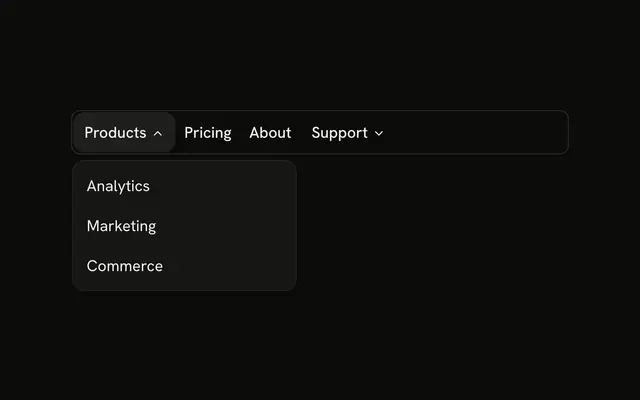
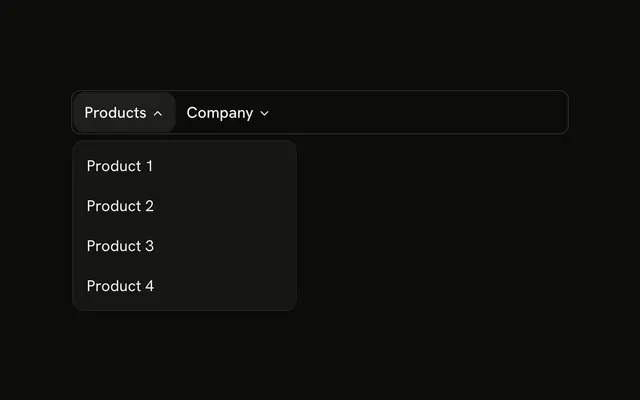
The bar shows Products, Solutions, and Pricing. Products lists Product 1, Product 2, and Product 3. Solutions lists Solution 1, Solution 2, and Solution 3. Pricing is a link.
Use this for a small marketing header. An app's command row belongs in a Menubar instead. In Vue, Ark UI moves between the triggers with Tab.
Installation
Anatomy
Usage
<div class="w-full max-w-md rounded-md border bg-background p-px">
  <NavigationMenu>
    <NavigationMenuList>
      <NavigationMenuItem v-for="section in sections" :key="section.trigger">
        <NavigationMenuTrigger>{{ section.trigger }}</NavigationMenuTrigger>
        <NavigationMenuContent>
          <div class="flex w-48 flex-col">
            <NavigationMenuLink v-for="item in section.items" :asChild="true" :key="item.label">
              <a :href="item.href">{{ item.label }}</a>
            </NavigationMenuLink>
          </div>
        </NavigationMenuContent>
      </NavigationMenuItem>
      <NavigationMenuItem>
        <NavigationMenuLink :asChild="true" :class="navigationMenuTriggerStyle()">
          <a href="#">Pricing</a>
        </NavigationMenuLink>
      </NavigationMenuItem>
    </NavigationMenuList>
  </NavigationMenu>
</div>
FAQ
Which parts make up the menu?
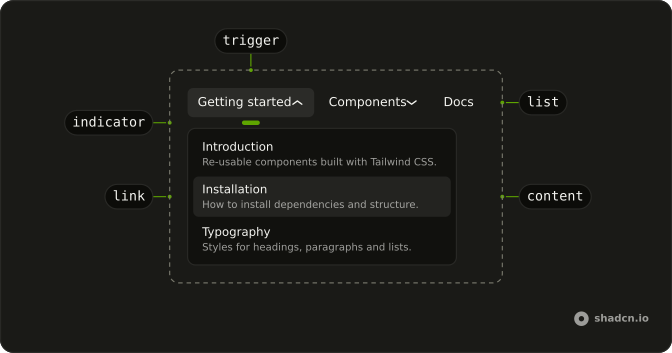
NavigationMenu and NavigationMenuList hold one NavigationMenuItem per entry. A dropdown is a NavigationMenuTrigger with a NavigationMenuContent of NavigationMenuLinks; Pricing is a NavigationMenuLink on its own.
Why does Pricing look like the triggers?
It takes navigationMenuTriggerStyle() as its class, so a plain link lines up with the dropdown triggers beside it.
Where do the links come from?
Two sections at the top of the file, each a trigger label and its links, mapped to one item each. Edit that list to change the menu.
How do the links use my router?
Each link is your router's link rendered through NavigationMenuLink, so it keeps the menu's styles and focus handling.
NavigationMenuLink takes as-child, and the demo puts an anchor inside. Put RouterLink or NuxtLink there instead.
API Reference
Navigation Menu
Sets v-for="section in sections", key="section.trigger", v-for="item in section.items", asChild, key="item.label" and class="navigationMenuTriggerStyle()". The rest is on the Navigation Menu page.