shadcn.io is an independent project built on shadcn/ui
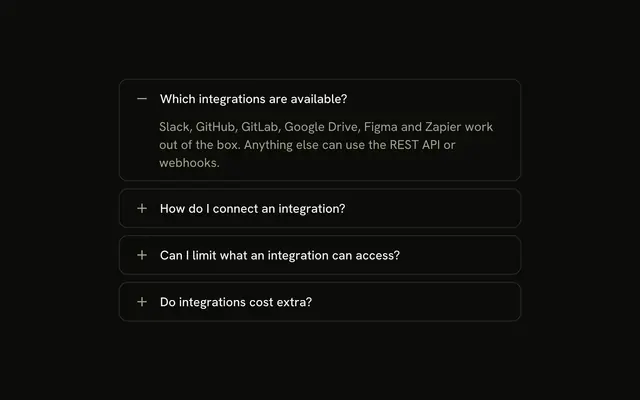
Personal Information, Contact Information, and Address Information, each with an icon and a plus that turns into a minus. Typed values stay when you switch sections.
Use it when the toggle should be obvious on a long form. If every section must stay visible, stack them in a Card. In Vue, Ark UI does not submit the form.
Installation
Anatomy
Usage
<Accordion class="w-full max-w-md -space-y-px" :unmountOnExit="false">
  <AccordionItem
    v-for="section in sections"
    class="overflow-hidden border bg-background px-4 first:rounded-t-lg last:rounded-b-lg"
    :key="section.value"
    :value="section.value"
  >
    <AccordionTrigger class="hover:no-underline **:data-[slot=accordion-trigger-icon]:hidden">
      <span class="flex w-full items-center justify-between gap-3">
        <span class="flex items-center gap-2">
          <component :is="section.icon" aria-hidden="true" class="size-4 shrink-0 text-muted-foreground" />{{ section.title }}
        </span>
        <span class="relative size-4 shrink-0">
          <PlusIcon
            aria-hidden="true"
            class="absolute inset-0 size-4 text-muted-foreground transition-opacity duration-200 group-aria-expanded/accordion-trigger:opacity-0"
          />
          <MinusIcon
            aria-hidden="true"
            class="absolute inset-0 size-4 text-muted-foreground opacity-0 transition-opacity duration-200 group-aria-expanded/accordion-trigger:opacity-100"
          />
        </span>
      </span>
    </AccordionTrigger>
    <AccordionContent class="flex flex-col gap-2 pt-1">
      <Input
        v-for="field in section.fields"
        :aria-label="field.label"
        :key="field.label"
        :placeholder="field.label"
        :type="field.type"
<!-- The rest of the file is under Installation. -->
FAQ
Do the fields keep what I typed after I close a section?
Yes. Pass :unmount-on-exit="false" on Accordion, so a closed section stays in the DOM and the uncontrolled inputs keep their text.
How does the plus turn into a minus?
**:data-[slot=accordion-trigger-icon]:hidden on AccordionTrigger hides the built-in chevron. PlusIcon and MinusIcon share one relative size-4 box, and group-aria-expanded/accordion-trigger fades the plus out and the minus in over duration-200. Both icons are aria-hidden and text-muted-foreground.
Are the section icons separate from the plus and minus?
UserIcon, MailIcon or MapPinIcon sits in a gap-2 row before the title, at size-4 with aria-hidden. The plus and minus are a second icon box, pushed to the end of the trigger with justify-between.
How are the inputs labeled?
Each Input gets type, placeholder and aria-label from its field. Name and address fields use type="text", email uses type="email", and phone uses type="tel". There is no visible label, so the aria-label is the field name.
API Reference
Accordion
Sets v-for="section in sections", key="section.value" and value="section.value". The rest is on the Accordion page.
Input
Sets v-for="field in section.fields", aria-label="field.label", key="field.label", placeholder="field.label" and type="field.type". The rest is on the Input page.