shadcn.io is an independent project built on shadcn/ui
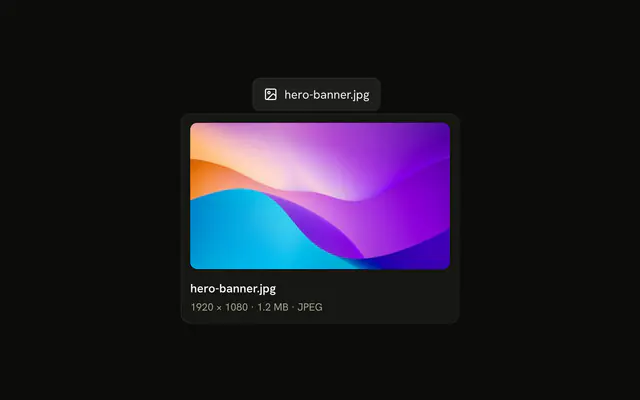
An outline button says Preview. Its tooltip shows a photo of black headphones, then Product Preview, then a line about the full product details.
Use a tooltip with a picture for a quick preview, such as a product. A Hover Card fits when the preview also needs a link. On Vue, Ark UI does not load the photo.
Installation
Anatomy
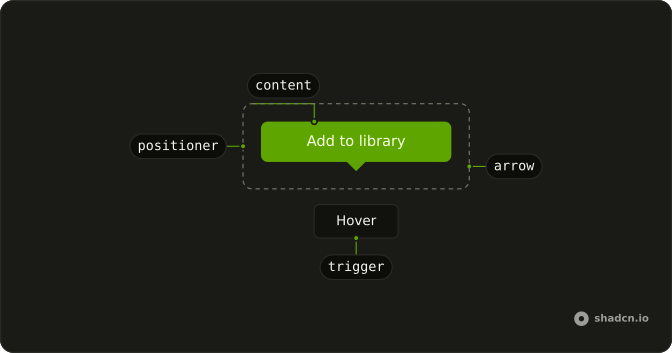
Usage
<Tooltip>
<TooltipTrigger :asChild="true">
<Button variant="outline">Preview</Button>
</TooltipTrigger>
<TooltipContent class="p-0">
<div class="flex flex-col gap-1 p-3">
<img
alt="Black headphones on a yellow background"
class="mb-1 h-[150px] w-[257px] rounded-md object-cover"
:height="300"
src="https://images.unsplash.com/photo-1505740420928-5e560c06d30e?w=514&h=300&fit=crop"
:width="514"
/>
<p class="font-semibold">Product Preview</p>
<p class="text-xs">View the full product details and specifications</p>
</div>
</TooltipContent>
</Tooltip>FAQ
When should I use tooltips with images versus other patterns?
For a glance at something before opening it. A Tooltip can't hold anything interactive, so when people might zoom, follow a link or act on the preview, use a Hover Card, which can hold a richer preview.
What image dimensions work best in tooltips?
Small enough not to cover the page: 257 by 150 pixels here, about 16:9, inside the tooltip's 320px maximum width. The image is requested at twice that size for sharp screens, and object-cover crops it to fit.
Why use p-0 on the content with p-3 on an inner div?
p-0 replaces the tooltip's own padding, which is shaped for a line of text, and the inner div sets one even p-3 around the image and the text, with gap-1 between them.
How important is alt text for images in tooltips?
Essential. The alt text, Black headphones on a yellow background, says what the photo shows for screen readers and appears if the image fails to load. Describe the product, not the word preview.
API Reference
Tooltip
Sets asChild. The rest is on the Tooltip page.
Button
Sets variant="outline". The rest is on the Button page.