shadcn.io is an independent project built on shadcn/ui
An outline button says Status. Its tooltip shows a check icon and the line All systems operational.
Pair an icon with a short status line when the button only says Status. For a message that should stay on the page, use an Alert. Ark UI in Vue does not decide that the check means all clear.
Installation
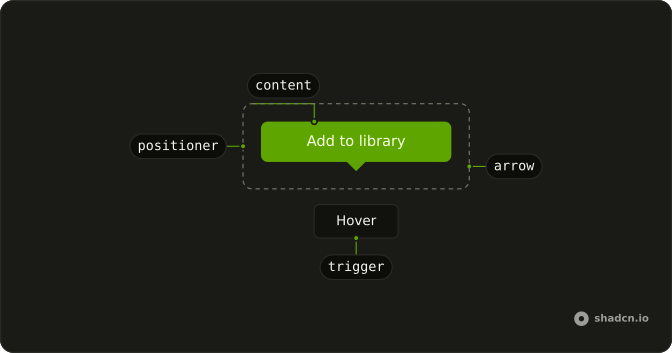
Anatomy
Usage
<Tooltip>
  <TooltipTrigger :asChild="true">
    <Button variant="outline">Status</Button>
  </TooltipTrigger>
  <TooltipContent class="gap-2">
    <CircleCheckIcon aria-hidden="true" class="size-4" />
    <p>All systems operational</p>
  </TooltipContent>
</Tooltip>
FAQ
When should I put an icon in the tooltip?
When the mark tells the kind of message before the sentence. This demo puts a CircleCheckIcon beside All systems operational.
What size is the icon in the tooltip?
size-4 on CircleCheckIcon, which lines up with the tooltip's text-xs.
Does the check icon set its own color?
No. It has no color class, so it inherits the tooltip's text color and stays readable on the inverted background.
Why is gap-2 on the tooltip?
The content is a flex row. gap-2 opens a little more space between the check and the sentence, and the row centers them.
gap-2 goes on TooltipContent.
API Reference
Tooltip
Sets asChild. The rest is on the Tooltip page.
Button
Sets variant="outline". The rest is on the Button page.