shadcn.io is an independent project built on shadcn/ui
Text
ProLCD Text for Svelte
Seven-segment characters power on one at a time, flickering before they settle. For Svelte with Ark UI, when a readout should look like hardware.
LCD Text draws every character in seven segments, like a clock radio or a calculator: the lit segments in the text's colour, the unlit ones faint behind them. When it appears, the display powers on from the first character to the last, each one flickering through its segments before it settles. After that it changes at once, like a real display, so it can show a clock or a live value.
Use it for numbers that should look like hardware: a clock, a countdown, a temperature, a score, or a short status such as READY. For digits that roll to each new value, use Sliding Number; for a dot-matrix sign, Dot Matrix Text. The segments are small SVG shapes, and the power-on is three CSS keyframe animations the install adds to your stylesheet, stepping each segment on and off, with no timer and nothing random. Seven segments draw digits well and letters roughly. With reduced motion the display simply shows.
Installation
Usage
<script lang="ts">
import { LcdText } from "@/components/ui/lcd-text";
</script>
<LcdText text="21:45" />
Demos
Glow
glow adds a soft halo around the segments, like a backlit display; it's best on a dark panel. The lit segments take the text's colour, so a text-* class colours them, and offColor is the unlit ones', the text's colour at 12% by default. duration is how long each character flickers, 800 ms by default.
Clock
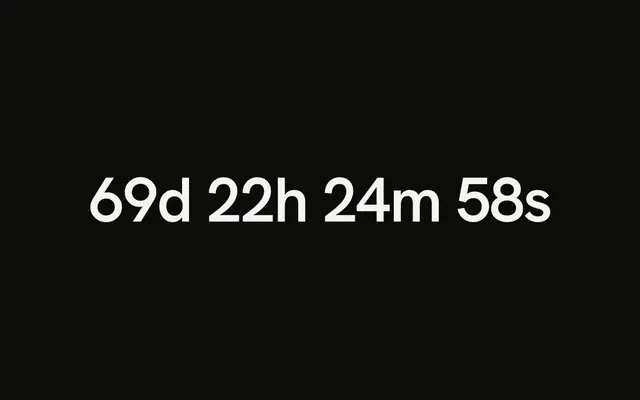
Once it has powered on, a new text shows at once, so a clock ticks like a real one. trigger="view" waits, dark, until the display scrolls into view.
Accessibility
Screen readers read the text as you wrote it, once, from a visually hidden copy; the segments are hidden from them. The power-on is a short burst, each segment changing a few times in under a second, and it doesn't play with reduced motion. A changing value, such as a clock, isn't announced: wrap it in a live region only if every change matters to someone listening.
FAQ
Which characters can it show?
Digits, letters, and -, _, =, ', ", ?, . and : (the last two in a narrow cell). Seven segments draw digits well and letters roughly: b, d, n, r and t always take the lowercase shape a display draws better, c, h, o and u take it when you write them in lowercase, and K, M, V, W and X borrow the nearest shape. Anything else is a blank cell; screen readers still read the real text.
How do I colour it?
The lit segments are the text's colour, so set it as for any text, such as text-emerald-400. offColor is the unlit segments' colour, any CSS colour; by default the text's colour at 12%, which reads on light and dark backgrounds alike.
Does it power on again when the text changes?
No: it powers on once, when it first shows, and later changes appear at once, as on a real display. To run the power-on again, give it a new key and Svelte renders it fresh.
How big are the characters?
0.8em tall, a little above the height of capital letters, so they scale with the font size and sit on the baseline of the text around them. Each cell is 0.48em wide, with 0.12em between cells.
Does it need a special font?
No: the segments are drawn, not typed, so it looks the same in every font and on every system, with nothing to load.
API Reference
LcdText
<span> data-slot="lcd-text"
textstring
The text: digits, letters, and -, _, =, ., :.
duration?number
How long each character flickers through segments before it settles, in milliseconds.
- Default
800
glow?boolean
A soft glow around the segments, like a backlit display. @default false.
- Default
false
offColor?string
The colour of the unlit segments, any CSS colour.
- Default
"color-mix(in oklab, currentColor 12%, transparent)"
stagger?number
The time between one character settling and the next, in milliseconds.
- Default
60
trigger?"mount" | "view"
When the display powers on: as soon as the page shows it, or once it scrolls into view.
- Type
"mount" | "view"- Default
"mount"
class?string
Merged with the part's classes.
data-on?stringdata-view?string
"in" when visible is true, otherwise "out".
--lcd-text-durationstring
How long each character flickers before it settles (800ms).
--lcd-text-off-colorstring
The unlit segments' colour (currentColor at 12%).
--lcd-text-staggerstring
The time between one character settling and the next (60ms).