shadcn.io is an independent project built on shadcn/ui
Text
FreeHighlight Text for Vue
Highlighter colour that draws itself across a phrase. For Vue with Ark UI, when one phrase in a sentence should stand out as people read it.
Highlight Text marks a phrase the way a highlighter pen would: a soft band of colour draws across it from where the line starts, once, and stays. Text that wraps gets a rounded mark on each line. It plays as soon as the page shows it, or once it scrolls into view.
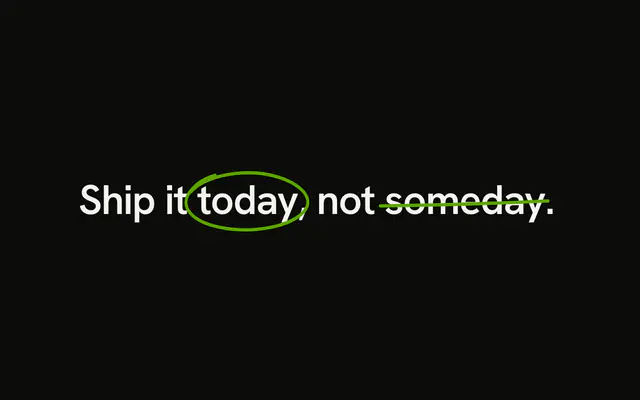
Use it for the one phrase in a headline or a paragraph the reader should take away. To mark the words that match a search, use Highlight, which finds them for you and draws no motion; for a hand-drawn underline or circle, Annotation Text. The mark is the text's own background, grown from nothing to full width by a CSS keyframe animation the install adds to your stylesheet, with no animation library. With reduced motion the mark is simply there.
Installation
Usage
<script setup lang="ts">
import { HighlightText } from "@/components/ui/highlight-text";
</script>
<template>
  <h2>
    Make it <HighlightText text="unmistakably yours" />.
  </h2>
</template>
Demos
Color
highlightColor takes any CSS colour; theme variables mixed with transparent, such as color-mix(in oklab, var(--warning) 35%, transparent), keep the text readable on it, light and dark. delay holds a mark back so two draw one after the other.
View
trigger="view" waits until the phrase scrolls into view, for a highlight in a paragraph further down the page. It wraps with the sentence like any other words, and each line gets its own mark.
Accessibility
The phrase stays real text, read once by screen readers and selectable; the mark is only a background. A highlight is visual: when it carries meaning, wrap it in <mark> or <strong> so screen readers hear it too. In forced-colors mode the mark is removed and the text keeps the system's colours. With reduced motion the mark is drawn from the start.
FAQ
How is it different from Highlight?
Highlight finds the words that match a query in a text and marks them, for search results. Highlight Text marks the one phrase you give it, with a stroke that draws across it, for emphasis in your own copy.
What colour is the mark?
Your theme's primary colour at a quarter strength, so it follows the theme, light and dark. Pass highlightColor for any other; keep it light enough that the text still reads on it.
Which way does it draw in a right-to-left layout?
The way the phrase reads: Arabic or Hebrew from the right, where its line starts; a Latin phrase on a right-to-left page from the left. The phrase takes its direction from its own text.
Does it change the spacing around the phrase?
No. The mark reaches a little past each end of the phrase without pushing the words around it, so the sentence sets exactly as it would without it.
API Reference
HighlightText
<span> data-slot="highlight-text"
textstring
The text.
delay?number
The wait before the marker starts, in milliseconds. @default 0.
duration?number
How long the marker takes to cross the text, in milliseconds. @default 1000.
highlightColor?string
The marker's colour, any CSS colour; keep it light enough for the text to read on it.
- Default
"color-mix(in oklab, var(--primary) 25%, transparent)"
trigger?"mount" | "view"
When it draws: as soon as it's on the page, or once it scrolls into view.
- Type
"mount" | "view"- Default
"mount"
class?string
Merged with the part's classes.
data-view?string
"in" when visible is true, otherwise "out".
--highlight-text-colorstring
The marker's colour.
--highlight-text-delaystring
The wait before the marker starts (0ms).
--highlight-text-durationstring
The marker's stroke across the text (1000ms).