shadcn.io is an independent project built on shadcn/ui
Blinds Background for Solid
Slats of gradient, each lit by a lamp that sweeps across the row. For Solid with Ark UI, when a hero needs color with some structure.
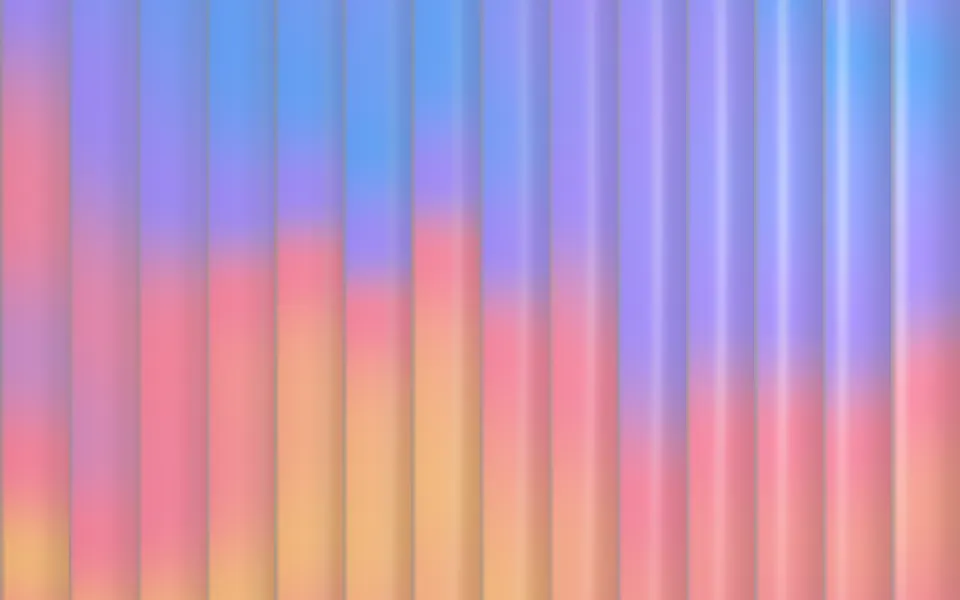
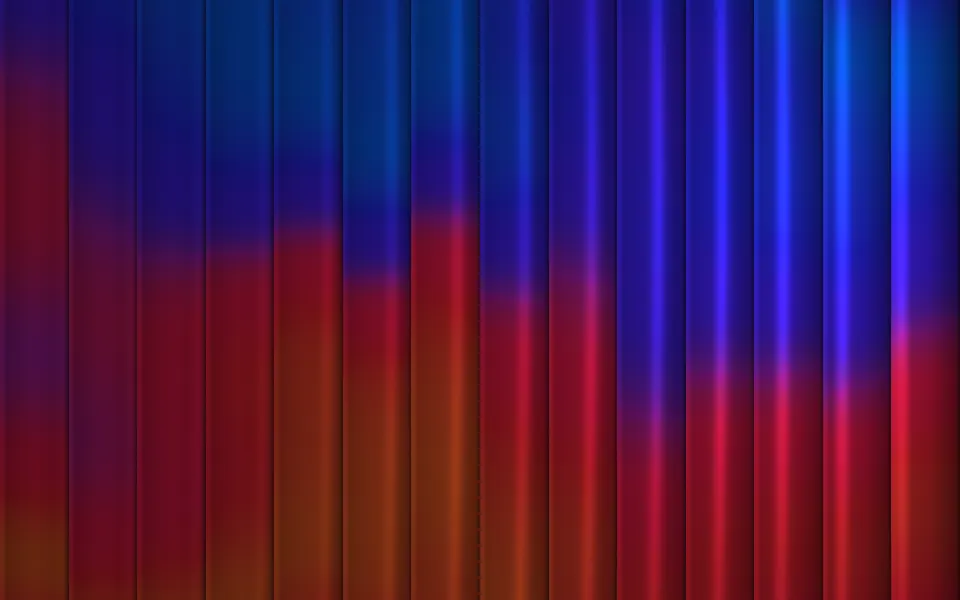
A row of vertical slats crosses the box, each carrying its own slice of one slow gradient. It's a GLSL scene on WebGL2: every slat is a bowed strip turned about its length and lit by a lamp that sweeps across the row, with a thin highlight, a bright cut edge and a shadow where it slips under the next. On a light surface the slats are tints, on a dark one deep tones. The lamp goes to the pointer, and the slats beside it lean toward it.
Use it behind a hero, a feature section, a pricing card or a sign-in panel that wants color with some structure in it. For the same flowing color with no slats over it, use Gradient; for bands that curve and turn over in depth, Ribbons; for thin streaks of light fanned across the box, Beams. With reduced motion it holds one still frame.
Installation
Usage
import { Blinds } from "@/components/ui/blinds";<Blinds class="flex min-h-[32rem] flex-col items-center justify-center">
<h1 class="text-5xl font-semibold">Rooms designed around the light</h1>
</Blinds>Blinds is a container: whatever you put inside sits on top of the slats, in normal flow. It fills its own box, so give it a height or content. For a backdrop behind the whole page, render it empty with className="fixed inset-0 -z-10".
Presets
<Blinds /><Blinds count={24} depth={0.6} sheen={0.3} softness={1} stagger={0.1} /><Blinds
colors={["#b8f2c9", "#3fcf8e", "#1f9fb5", "#2457c5"]}
count={9}
depth={1.4}
stagger={0.8}
/><Blinds
colors={["#00e5ff", "#7c4dff", "#ff2e93"]}
count={20}
sheen={1}
softness={0}
spotlight={1}
/><Blinds
colors={["var(--muted)", "var(--muted-foreground)", "var(--foreground)"]}
intensity={0.6}
spotlight={0.8}
/><Blinds count={10} depth={1.5} softness={0} stagger={0} tilt={0.6} /><Blinds
angle={90}
colors={["#ffe2b0", "#ffb86b", "#ff8a5c"]}
count={18}
depth={1.2}
tilt={0.45}
/>Each preset is a set of props, so copy one and keep tuning. Sunset is the default. Venetian lays 18 warm slats flat with angle={90} and opens them, Fluted melts 24 narrow slats into each other for the look of reeded glass, Shutters turns 10 hard-edged slats well open, with dark gaps between them, and Paper takes its greys from your theme.
Examples
Hero
The default look behind a centered headline, with no props: 14 slats in amber, rose, violet and blue. On a light surface the slats are tints that stay pale enough for the foreground color; on a dark one they're deep tones held under a brightness cap. The chip and the second button have a translucent ground of their own.
Colors
colors runs from the bottom of the slats to the top: here cyan, violet and magenta on a dark surface, with 20 hard-edged slats (count={20}, softness={0}), the lamp and the gloss at full strength (spotlight={1}, sheen={1}) and intensity={1.5} for brighter color where no copy sits on it.
In a card
Nine wide slats for a small box (count={9}), each slid further from its neighbor (stagger={0.6}), and fade="bottom" clears the lower edge for the text. Move the pointer over it: the lamp follows, and the slats next to it lean.
Customization
Every color is a CSS color, so a theme variable works and follows a theme switch: colors={["var(--chart-1)", "var(--chart-2)", "var(--chart-3)"]}. The list is one gradient, mixed in OKLab, that runs once along the slats; scale stretches or repeats it and stagger slides each slat's slice of it. count, tilt, depth and softness shape the slats, from flat bands of color to open shutters.
The surface is the root's own background, bg-background by default. On a light surface the colors show as tints; give the root a dark one (bg-slate-950) and they turn deep and saturated. intensity sets how much color the slats carry, fade masks an edge, opacity turns the whole effect down and grain adds film grain.
<Blinds
  angle={90}
  class="min-h-[32rem] bg-slate-950"
  colors={["var(--chart-1)", "var(--chart-2)", "var(--chart-4)"]}
  count={18}
  fade="bottom"
  tilt={0.4}
/>
Performance
It's one WebGL2 canvas and one fragment shader with no dependency, no texture and no loops: for each pixel, one sample of simplex noise for the gradient, one palette lookup, one hash for the slat's offset, the lighting of one slat and one tone curve at the end. It draws only while it's on screen and the tab is visible, shares one frame loop with every other background on the page, and lowers its own resolution if frames run long. quality sets the render scale yourself, and paused holds the frame.
Accessibility
The slats are decoration: the canvas is hidden from assistive tech and lets every click through to your content. With reduced motion it draws one still frame and ignores the pointer. The lamp takes about 27 seconds to cross the row and back, so nothing flashes.
At intensity={1} or lower, text in the foreground color keeps at least 4.5:1 over any part of the scene, whatever colors you pass: the scene holds what it shows under a brightness cap on a dark surface and above a floor on a light one. With the default colors the worst pixel measured 5.9:1 on the light theme and 4.7:1 on the dark one. Above intensity={1} both limits lift, so keep body copy off it or check the contrast again.
FAQ
How do I change the colors?
Pass two to eight CSS colors to colors. They're one gradient that runs from the bottom of the slats to the top, bent by slow noise, and each slat shows its own slice of it. Hex, oklch() and theme variables such as var(--chart-1) all work, and a variable follows your theme when it changes. Two or three neighboring hues give the calmest result.
Does it work on a light page and a dark one?
Yes, with no prop to set. The scene reads the color behind it. On a light surface the slats are tints of your colors, shaded in a deeper tone of the same color where they turn from the lamp. On a dark surface they're deep, saturated tones, and the highlight is the slat's own color made brighter. Set the surface with a class on the component, such as bg-slate-950.
Can the slats run across, like a venetian blind?
Set angle={90}. The slats lie flat and the gradient runs from one side to the other. Any angle works, so angle={-20} leans them like a diagonal stripe. Raise tilt to open them: at 0 the slats are face on and touch, and toward 1 they turn away and a dark gap opens between each pair. The Venetian preset is angle={90}, count={18} and tilt={0.45}.
What does the pointer do?
The lamp that sweeps across the row goes to the pointer and stays with it, so the highlight on each slat follows it. The slats beside the pointer also lean toward it, most a slat or two away and not at all by five. Both ease in and out. interactive={false} turns them off, and spotlight={0} removes the lamp for evenly lit slats. Touch never moves it, so scrolling on a phone isn't disturbed.
How do I put it behind the whole page?
Render it empty with className="fixed inset-0 -z-10". It still follows the pointer there, since it listens on the window. count is the number of slats across the box at any size, so a wide page gets wider slats, not more of them: raise count for a page and lower it for a card.
Will it slow my page down?
It's a light shader: one noise sample and one color mix a pixel, on the GPU, with no loops. It does nothing while it's off screen or the tab is hidden, and it renders fewer pixels by itself if a device can't keep up. On a phone-first page, quality={0.75} is hard to tell apart with soft slats; with softness={0} the edges get a little less crisp.
Does it work with Next.js and server components?
Yes. Import it into a server component and it renders its box and your content on the server; the canvas starts in the browser and fades in over the surface. It needs WebGL2, which every current browser has. Without it the box keeps its background, or the fallback you pass.
API Reference
Blinds
data-slot="blinds"
angle?number
The lean of the slats, in degrees: 0 hangs them upright, 90 lays them flat like a venetian blind.
- Default
0
colors?string[]
Two to eight CSS colors for the gradient the slats carry, from the
bottom of the slats to the top. They show as tints on a light surface
and as deep tones on a dark one. Theme variables such as
var(--chart-1) follow your theme.
- Default
["#ffb86b", "#ff6f91", "#8a6bff", "#2f8fff"]
count?number
How many slats cross the box, from 3 to 48.
- Default
14
depth?number
How much shape the slats have: how far each is bowed and how deep the shadow is where it slips under the next. At 0 they're flat bands.
- Default
1
fade?"none" | "radial" | "top" | "bottom" | "left" | "right"
Which edges fade out to the surface: radial keeps the middle, the
others name the side that fades.
- Type
"none" | "radial" | "top" | "bottom" | "left" | "right"- Default
"none"
fallback?string
What shows until the first frame and in browsers without WebGL2: a CSS
background value that looks like the scene.
grain?number
Film grain over the scene, from 0 to 1.
- Default
0
intensity?number
How much color the slats carry. Up to 1 they stay in a range that keeps text readable over them; past 1 the colors run to full strength.
- Default
1
interactive?boolean
Whether the scene follows the pointer and answers a press. Touch never moves it, so scrolling a page on a phone isn't disturbed.
- Default
true
opacity?number
How strongly the scene shows over the surface, from 0 to 1.
- Default
1
paused?boolean
Holds the current frame.
- Default
false
quality?number
Render scale, from 0.25 to 1, of the screen's pixels (capped at 2×). Lower is cheaper and softer.
- Default
1
scale?number
How far the gradient runs, from 0.3 to 2: at 1 the palette runs once along the slats, higher runs it there and back again.
- Default
1
seed?number
Another arrangement of the same gradient, from 0 to 20.
- Default
0
sheen?number
How glossy the slats are, from 0 (matte) to 1 (a thin bright line on each slat the lamp reaches).
- Default
0.6
softness?number
How soft the edges of the slats are, from 0 (cut) to 1 (melted into each other, like fluted glass).
- Default
0.3
speed?number
Animation speed: 1 is normal, 0 holds the frame.
- Default
1
spotlight?number
How strong the lamp that sweeps across the slats is, from 0 to 1. At 0 the blinds are evenly lit.
- Default
0.6
stagger?number
How far each slat's gradient is slid along it from its neighbor's, from 0 (one gradient cut into slats) to 1 (each clearly its own).
- Default
0.35
tilt?number
How far open the slats are at rest, from 0 (closed, face on) to 1 (turned well away, with dark gaps between them).
- Default
0.15
time?number
A fixed moment, in seconds: draws it and doesn't animate.