shadcn.io is an independent project built on shadcn/ui
Watercolor Background for Solid
Pools of pigment with dried rims and paper grain, in your colors. For Solid with Ark UI, when an editorial page needs a soft, painted look.
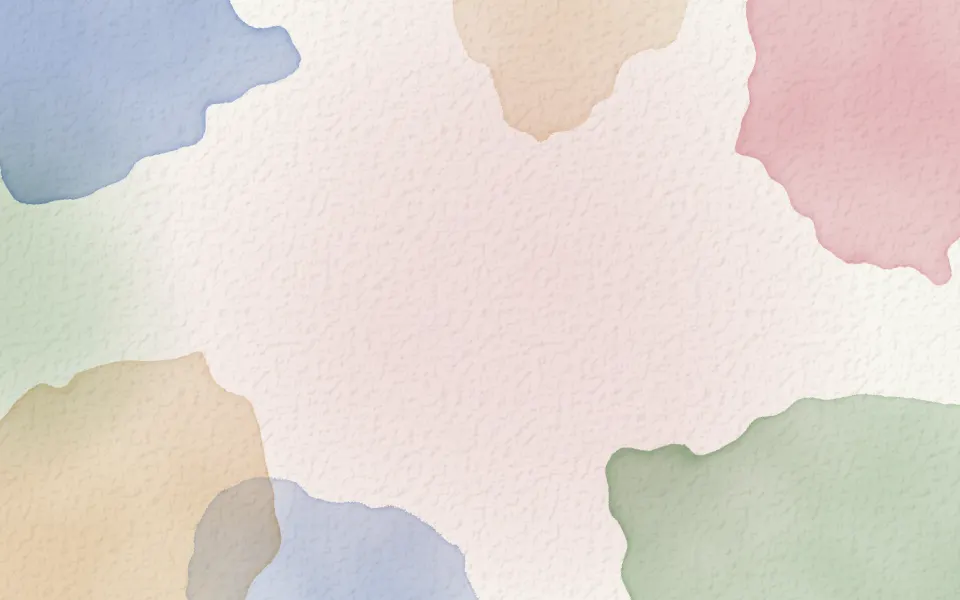
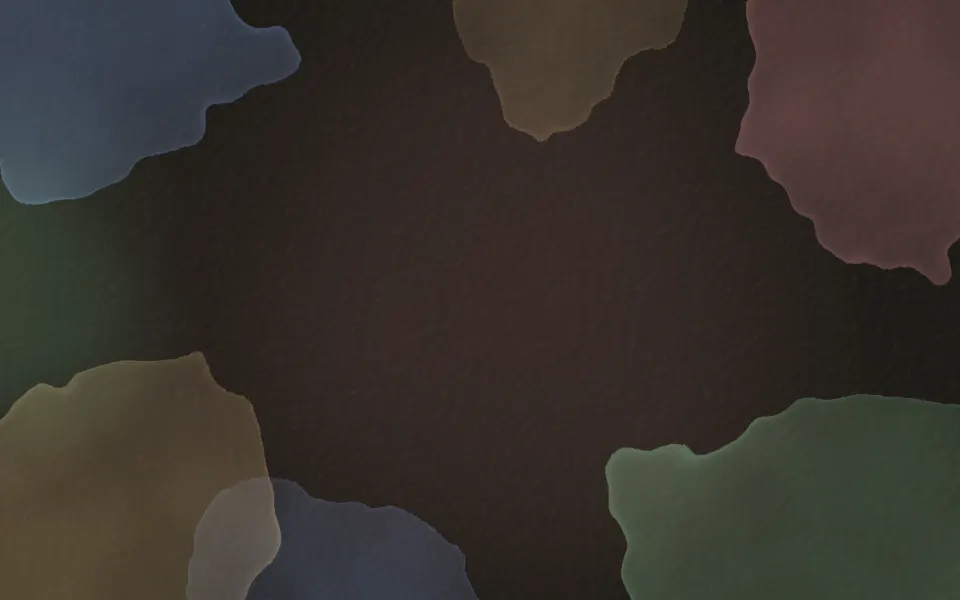
Pools of pigment sit on a sheet of paper: each has a lobed outline, is paler inside and darker at its rim, where the pigment gathered as it dried, crisp where the paper was dry and feathered where it was wet. Overlapping pools glaze, the pigment settles into the paper's tooth, and the pools creep and reshape very slowly. It's a GLSL scene on WebGL2 with no dependency. On a light surface the pigment stains the sheet; on a dark one it has body, like gouache on black paper.
Use it for a course or workshop page, a portfolio, a stationery shop or any hero that should look painted by hand. For ink that keeps moving in water, use Ink; for the sheet with no paint on it, Paper; for soft color with no paper and no edges, Mesh Gradient. With reduced motion it holds one still frame.
Installation
Usage
import { Watercolor } from "@/components/ui/watercolor";<Watercolor class="flex min-h-[32rem] flex-col items-center justify-center">
<h1 class="text-5xl font-semibold">Learn to paint in twelve Saturdays</h1>
</Watercolor>Watercolor is a container: whatever you put inside sits on top of the paint, in normal flow. It fills its own box, so give it a height or content. For a backdrop behind the whole page, render it empty with className="fixed inset-0 -z-10".
Presets
<Watercolor /><Watercolor
colors={["#3f7d4e", "#6fa287", "#a3a34a", "#d6a23c"]}
edges={1}
pools={7}
scale={1.6}
wetness={0.15}
/><Watercolor clearing={1} coverage={0.35} pools={8} /><Watercolor
colors={["#1e3a8a", "#2563eb", "#0ea5e9"]}
coverage={0.9}
edges={0.3}
granulation={0.8}
pools={4}
wetness={0.9}
/><Watercolor
colors={["var(--foreground)", "var(--muted-foreground)"]}
intensity={0.5}
/><Watercolor
clearing={0.2}
colors={["#f472b6", "#fb7185", "#f9a8d4", "#c084fc"]}
coverage={0.1}
pools={8}
scale={2}
/><Watercolor
colors={["#7c3aed", "#e11d74", "#f97316", "#f59e0b"]}
pools={6}
wetness={0.7}
/><Watercolor
colors={["#8b5e34", "#b7791f"]}
edges={1}
granulation={0.9}
intensity={0.8}
pools={3}
wetness={0.1}
/>Each preset is a set of props, so copy one and keep tuning. Wash is the default. Frame moves eight small pools to the edges and leaves the middle bare for a headline, Tea is two brown stains with hard dried rims, Indigo floods the sheet with three blues that bleed into each other, and Mono takes its two pigments from your theme.
Examples
Hero
clearing={1} keeps the pools along the edges of the box and coverage={0.35} keeps them small, so the copy sits on bare paper in the middle and only the tips of a few washes pass behind it. pools={7} gives the edge enough of them to go round.
Colors
colors gives each pool its pigment, in turn: here sap green, sage, olive and yellow ochre. wetness={0.15} dries almost every edge crisp, edges={1} darkens the rims as far as they go, and scale={1.6} makes the lobes smaller.
In a card
Four pools around a 384-pixel card, with clearing={0.8} so the text at the bottom sits on the lightest part. seed picks another arrangement of the same pools.
Customization
Every color is a CSS color, so a theme variable works and follows a theme switch: colors={["var(--chart-1)", "var(--chart-2)", "var(--chart-3)"]}. Neighbouring pools take neighbouring colors, so order the list the way you'd want them to mix: two colors next to each other in the list glaze where their pools overlap, and opposite colors, which would mix to grey, rarely meet.
The paper is the root's own background, bg-background by default. Give the root another (bg-amber-50 for a cream sheet, bg-stone-900 for a dark one) and the paint adapts: it stains a light surface and sits on a dark one as a thin, chalky layer. paper sets how much of the sheet's grain shows, fade masks an edge, and opacity turns the whole effect down.
<Watercolor
  class="min-h-[32rem] bg-amber-50 dark:bg-stone-900"
  colors={["var(--chart-1)", "var(--chart-2)", "var(--chart-3)"]}
  granulation={0.8}
  paper={0.8}
  wetness={0.3}
/>
Performance
It's one WebGL2 canvas and one fragment shader: eight samples of simplex noise for the water that shaped the pools, four of value noise for the paper's tooth, and a loop over the pools, eight at most, that samples no noise. Nothing is simulated or stored between frames. It draws only while it's on screen and the tab is visible, shares one frame loop with every other background on the page, and lowers its own resolution if frames run long. quality sets the render scale yourself, and paused holds the frame.
Accessibility
The paint is decoration: it's hidden from assistive tech and lets every click through to your content. With reduced motion it draws one still frame and ignores the pointer. Nothing flashes.
The washes are thin enough to carry text anywhere. With the defaults, text in the foreground color measures 4.9:1 over the darkest overlap on a light surface and 4.9:1 over the brightest rim on a dark one, where the paint is capped so that light text stays readable. A higher intensity or a darker palette lowers the first number: check it, or raise clearing so the copy sits on bare paper.
FAQ
How do I change the pigments?
Pass two to eight CSS colors to colors. The pools take them in turn around the box, so two colors that follow each other in the list end up side by side and glaze where they overlap. Hex, oklch() and theme variables such as var(--chart-1) all work, and a variable follows your theme when it changes.
Does it work in dark mode?
Yes, with no prop to set. The scene reads the color behind it. On a light surface the pigment stains the paper and gathers in its valleys. On a dark surface it's drawn as paint with body that catches on the peaks of the tooth, like gouache on black paper, and dark pigments are lifted so they still show.
How do I get hard dried edges, or soft ones?
wetness decides. At 0 every pool dries with a crisp outline and a dark rim, which edges makes lighter or darker. At 1 every outline bleeds into a soft, feathered one with almost no rim. At the default, 0.5, one pool has both, as a real wash does where part of the paper was still wet.
How do I keep the middle clear for a headline?
Raise clearing: at 1 the pools sit along the edges of the box. Lower coverage to make them smaller and raise pools so the edge still has enough of them. The Frame preset is that combination. Text also reads over the washes themselves, which are pale by design.
How do I put it behind the whole page?
Render it empty with className="fixed inset-0 -z-10". It still follows the pointer there, since it listens on the window. To put it behind one section, wrap that section's content in it and give it a height, such as min-h-svh.
Will it slow my page down?
It costs twelve noise samples a pixel, on the GPU, and nothing at all while it's off screen or the tab is hidden. If a device can't keep up, it renders fewer pixels by itself. The paper's grain is sized in CSS pixels, so quality={0.75} softens it a little; keep the default if the grain matters to you.
Does it work with Next.js and server components?
Yes. Import it into a server component and it renders its box and your content on the server; the canvas starts in the browser and fades in over the surface. It needs WebGL2, which every current browser has. Without it the box keeps its background, or the fallback you pass.
What does the pointer do?
A drop of clear water follows it: the pigment under the pointer thins and gathers in a ring around it, the way a wet brush lifts paint. A press lets a drop fall, which opens into a bloom and dries over a few seconds. interactive={false} turns both off, and touch never triggers them.
API Reference
Watercolor
data-slot="watercolor"
clearing?number
How far the pools keep from the middle of the box, where copy usually sits, from 0 (anywhere) to 1 (along the edges).
- Default
0.5
colors?string[]
Two to eight CSS colors, one pigment each: the pools take them in turn
and glaze where they overlap. Theme variables such as var(--primary)
follow your theme.
- Default
["#3a66c8", "#d95f8c", "#e3a53f", "#4a9c8c"]
coverage?number
How much of the paper the washes cover, from 0 (separate pools) to 1 (pools that run into each other).
- Default
0.5
edges?number
How dark the dried rim of each pool is, where the pigment gathered, from 0 to 1.
- Default
0.6
fade?"none" | "radial" | "top" | "bottom" | "left" | "right"
Which edges fade out to the surface: radial keeps the middle, the
others name the side that fades.
- Type
"none" | "radial" | "top" | "bottom" | "left" | "right"- Default
"none"
fallback?string
What shows until the first frame and in browsers without WebGL2: a CSS
background value that looks like the scene.
grain?number
Film grain over the scene, from 0 to 1.
- Default
0
granulation?number
How much the pigment settles into the paper's tooth, from 0 (a flat wash) to 1 (mottled).
- Default
0.5
intensity?number
How much pigment is in the washes, from 0 to 2.
- Default
1
interactive?boolean
Whether the scene follows the pointer and answers a press. Touch never moves it, so scrolling a page on a phone isn't disturbed.
- Default
true
opacity?number
How strongly the scene shows over the surface, from 0 to 1.
- Default
1
paper?number
How strongly the paper's own grain shows, on the washes and on the bare sheet, from 0 to 1.
- Default
0.5
paused?boolean
Holds the current frame.
- Default
false
pools?number
How many pools of pigment there are, from 2 to 8. Fewer pools are larger.
- Default
5
quality?number
Render scale, from 0.25 to 1, of the screen's pixels (capped at 2×). Lower is cheaper and softer.
- Default
1
scale?number
The size of the lobes and blooms along the pools' edges, from 0.4 to 2.5: higher packs more, smaller ones.
- Default
1
seed?number
Another layout of the same look, from 0 to 20.
- Default
0
speed?number
Animation speed: 1 is normal, 0 holds the frame.
- Default
1
time?number
A fixed moment, in seconds: draws it and doesn't animate.
wetness?number
How wet the paper was, from 0 to 1: at 0 every edge dries crisp, at 1 every edge bleeds into a soft feathered one, and between the two a pool has both.
- Default
0.5