shadcn.io is an independent project built on shadcn/ui
Clouds Background for Solid
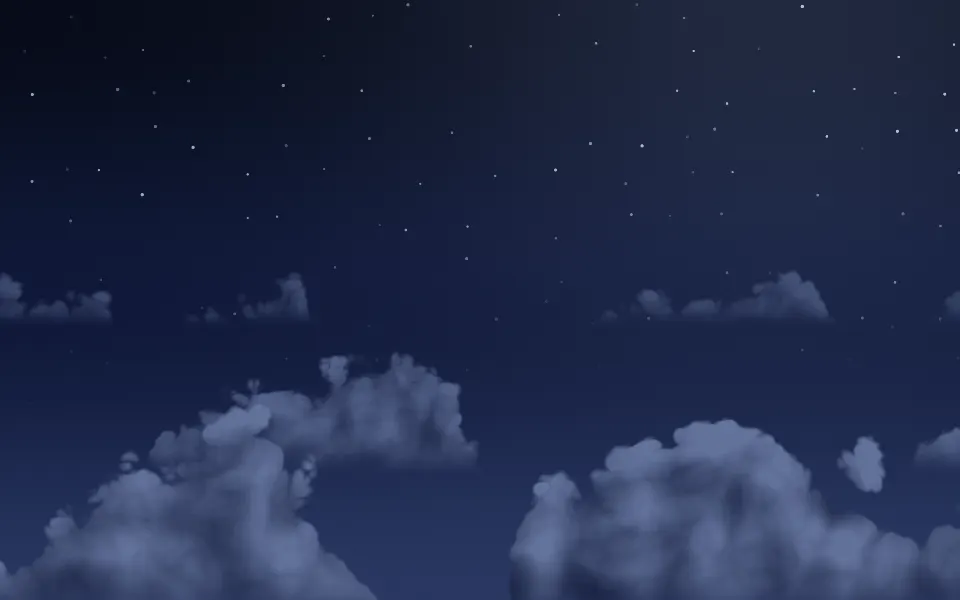
Lit cumulus clouds drift across a day or night sky in three rows. For Solid with Ark UI, when a hero needs an open sky behind its headline.
Rows of cumulus drift across a sky, one behind the other: small and pale in the distance, big and bright along the bottom edge. It's a GLSL scene on WebGL2 with no dependency: each cloud is a flat-based heap of billowy noise, lit by comparing it with the cloud a step toward the sun, so every lobe has a bright side and a shaded one. On a light surface it's a day sky, on a dark one a night sky with stars, and the rows slide with the pointer.
Use it behind a hero, a weather card or a travel page: the top of the box stays clear sky, which is where the copy goes. For flat banks of mist in place of a sky, use Fog; for ridgelines under a low sun, Dunes; for a night sky with nothing but stars, Starfield. With reduced motion it holds one still frame.

Installation
Usage
import { Clouds } from "@/components/ui/clouds";<Clouds class="flex min-h-[32rem] flex-col items-center pt-20">
<h1 class="text-5xl font-semibold">Flights that leave when you do</h1>
</Clouds>Clouds is a container: whatever you put inside sits on top of the sky, in normal flow. It fills its own box, so give it a height or content. For a backdrop behind the whole page, render it empty with className="fixed inset-0 -z-10".
Presets
<Clouds /><Clouds
angle={-50}
cloudColor="#fff6ee"
colors={["#7fa8e8", "#f3c6d0", "#ffe9d2"]}
shadowColor="#b89ac0"
/><Clouds
angle={60}
cloudColor="#ffd9b8"
colors={["#2b3a8c", "#c4608e", "#ffb37a"]}
cover={0.65}
shadowColor="#7a4f8f"
/><Clouds
cloudColor="#62729b"
colors={["#060a18", "#0f1838", "#283660"]}
shadowColor="#161f3f"
stars={1}
/><Clouds
cloudColor="#f5f7fa"
colors={["#8a97a8", "#c3cbd6", "#e9edf2"]}
cover={0.9}
detail={0.3}
shadowColor="#6f7b8c"
softness={0.9}
/><Clouds cover={1} detail={0.8} height={0.55} layers={4} /><Clouds angle={-60} height={1} scale={0.5} softness={0.8} />Each preset is a set of props, so copy one and keep tuning. Fair is the default. Dawn and Dusk repaint the sky and the clouds for the two ends of the day, Midnight is the night sky on any surface, Overcast closes the cover under grey, Sea lays four rows low for a view from above the clouds, and Towering is one big, soft cloud.
Examples
Hero
The clouds stand in the lower two thirds and the sky above them is clear, so the copy sits at the top of the box. No prop is set: the headline and the line under it use the foreground color, which reads on the day sky of a light theme and on the night sky of a dark one.
Colors
colors runs down the sky, cloudColor is the lit side of the clouds and shadowColor their shade: here indigo over rose and apricot, with peach clouds shaded in violet and the light low on the right (angle={60}). Colors you pass are used on light and dark surfaces alike.
In a card
height={0.6} keeps the clouds in the lower part of a small card, layers={2} leaves two rows and scale={1.2} shrinks them to fit. The text sits at the top, on clear sky.
Customization
Every color is a CSS color, so a theme variable works and follows a theme switch. Without colors, cloudColor and shadowColor the scene picks a palette from the surface: a blue day sky with white clouds on a light one, a navy night sky with slate clouds on a dark one. Stars show whenever the top of the sky is dark, whichever palette put it there, and stars={0} turns them off.
The scene covers its box with its own sky, so the root's background (bg-background by default) only decides which of the two palettes you get, and shows until the first frame. Pass a fallback gradient close to your sky to cover that moment. height sets how far up the clouds reach, fade masks an edge, and grain adds film grain.
<Clouds
  class="min-h-[32rem]"
  cloudColor="var(--card)"
  colors={["var(--chart-1)", "var(--chart-2)", "var(--background)"]}
  fallback="linear-gradient(var(--chart-1), var(--background))"
  shadowColor="var(--chart-3)"
/>
Performance
It's one WebGL2 canvas and one fragment shader. A pixel of clear sky costs two samples of simplex noise for each row of clouds it could belong to, and a pixel inside a cloud nine or ten, the last four of them for the light. There's no march and no simulation. It draws only while it's on screen and the tab is visible, shares one frame loop with every other background on the page, and lowers its own resolution if frames run long. layers and cover are the main cost, quality sets the render scale yourself, and paused holds the frame.
Accessibility
The sky is decoration: it's hidden from assistive tech and lets every click through to your content. With reduced motion it draws one still frame and ignores the pointer. Nothing flashes, and the stars only breathe.
Use the foreground color (text-foreground) for copy on top of it. On the day sky of a light surface foreground text keeps 7.2:1 at the top of the box, where the blue is deepest, and more everywhere else. On the night sky of a dark surface it keeps 12:1 on clear sky and 4.8:1 on the brightest side of a cloud. With your own colors, check the top color against your text: a mid-tone sky suits neither black nor white.
FAQ
How do I change the colors of the sky and the clouds?
colors takes two to eight CSS colors for the sky, from the top of the box to the bottom. cloudColor is the side of a cloud that faces the light and shadowColor the side that doesn't, so a sunset is a warm cloudColor over a violet shadowColor. Hex, oklch() and theme variables all work.
Does it work in dark mode and on a light page?
Yes, with no prop to set. The scene reads the color behind it: a light surface gets a blue day sky with white clouds, a dark one a navy night sky with slate clouds and a few stars. If you pass your own colors they are used on both, so a sunset stays a sunset in either theme.
How do I put it behind the whole page?
Render it empty with className="fixed inset-0 -z-10". The rows still slide with the pointer there, since it listens on the window. Because the sky is opaque it replaces the page's background, so check your text color against the top of the sky. To put it behind one section, wrap that section's content in it.
Will it slow my page down?
Clear sky is nearly free and only the pixels inside a cloud do real work, about ten noise samples each. Nothing is drawn while it's off screen or the tab is hidden, and if a device can't keep up it renders fewer pixels by itself. On a phone-first page, layers={2} and quality={0.75} cut the work by about half.
Does it work with Next.js and server components?
Yes. Import it into a server component and it renders its box and your content on the server; the canvas starts in the browser and fades in. It needs WebGL2, which every current browser has. Without it the box keeps its background, or the fallback you pass, which here should be a gradient close to your sky.
How do I get more clouds, or fewer?
cover sets how much of each row is cloud, from a few stray ones at 0.1 to unbroken banks at 1. layers is how many rows stand one behind the other, from 1 to 4, and scale their size: lower than 1 gives fewer, bigger clouds. seed moves them around without changing the look.
How do I keep the clouds out of my headline?
height is how far up the box the clouds reach, 0.75 by default. Lower it and the rows sink toward the bottom edge, which leaves more clear sky for copy; at 0.3 only a low bank is left. The nearest row always stands on the bottom edge, so put copy at the top or in the middle.
API Reference
Clouds
data-slot="clouds"
angle?number
Where the light comes from, in degrees from straight overhead: -70 (the left) to 70 (the right).
- Default
35
cloudColor?string
The lit side of the clouds, any CSS color. Without it the scene uses white on a light surface (the default below) and a moonlit slate on a dark one.
- Default
"#ffffff"
colors?string[]
Two to eight CSS colors for the sky, from the top of the box to the bottom. Without it the scene picks its own: a day sky on a light surface (the default below) and a night sky on a dark one.
- Default
["#4a96e8", "#93c8f7", "#e4f2fe"]
cover?number
How much of the sky the clouds cover, from 0.1 (a few) to 1 (banks with no gap).
- Default
0.5
detail?number
How lumpy the clouds are, from 0 (smooth mounds) to 1 (cauliflower).
- Default
0.6
drift?number
How fast the clouds cross the sky, from -2 to 2. Negative values drift the other way.
- Default
1
fade?"none" | "radial" | "top" | "bottom" | "left" | "right"
Which edges fade out to the surface: radial keeps the middle, the
others name the side that fades.
- Type
"none" | "radial" | "top" | "bottom" | "left" | "right"- Default
"none"
fallback?string
What shows until the first frame and in browsers without WebGL2: a CSS
background value that looks like the scene.
grain?number
Film grain over the scene, from 0 to 1.
- Default
0
height?number
How far up the box the clouds reach, from 0.3 to 1.
- Default
0.75
interactive?boolean
Whether the scene follows the pointer and answers a press. Touch never moves it, so scrolling a page on a phone isn't disturbed.
- Default
true
layers?number
How many rows of cloud stand one behind the other, from 1 to 4.
- Default
3
opacity?number
How strongly the scene shows over the surface, from 0 to 1.
- Default
1
paused?boolean
Holds the current frame.
- Default
false
quality?number
Render scale, from 0.25 to 1, of the screen's pixels (capped at 2×). Lower is cheaper and softer.
- Default
1
scale?number
The size of the clouds, from 0.5 to 2: higher packs more, smaller ones into the box.
- Default
1
seed?number
Another arrangement of the same sky, an integer from 0 to 20.
- Default
0
shadowColor?string
The shaded underside of the clouds, any CSS color. Without it the scene uses a blue-grey on a light surface (the default below) and a deep navy on a dark one.
- Default
"#8fa6c8"
softness?number
How soft the edges of the clouds are, from 0 (crisp) to 1 (hazy).
- Default
0.5
speed?number
Animation speed: 1 is normal, 0 holds the frame.
- Default
1
stars?number
How many stars show behind the clouds when the top of the sky is dark, from 0 to 1.
- Default
0.6
time?number
A fixed moment, in seconds: draws it and doesn't animate.