shadcn.io is an independent project built on shadcn/ui
Sonar Background for Svelte
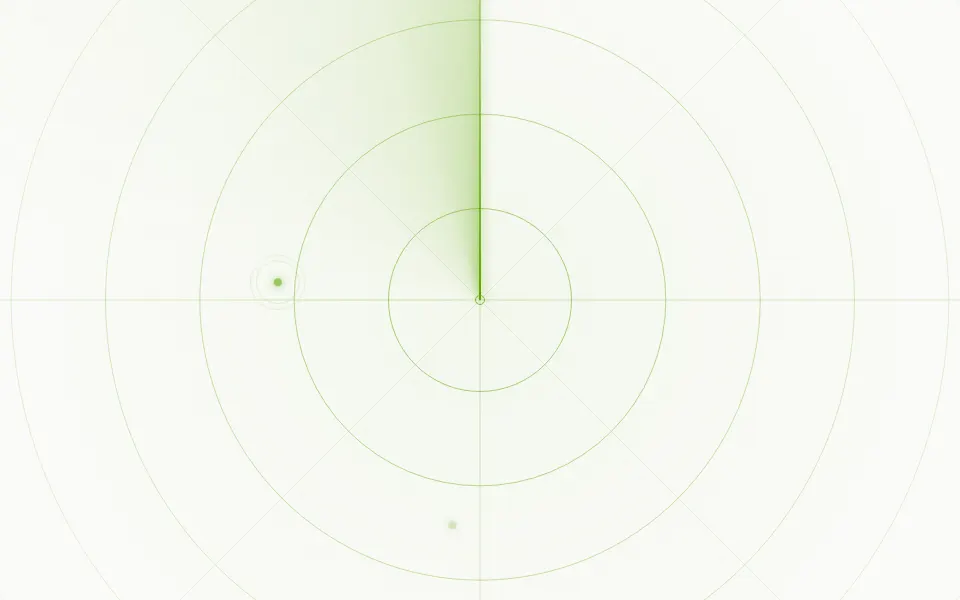
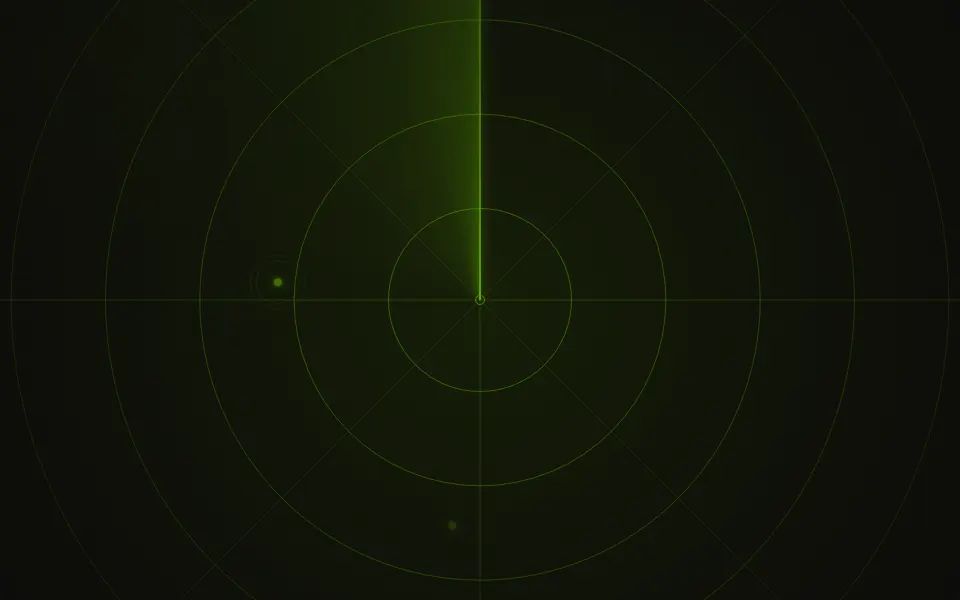
A radar scope: rings, a sweeping beam and contacts that light as it passes. For Svelte with Ark UI, when a security page should look like it scans.
A radar scope: range rings, a crosshair and bearing ticks in hairlines around a hub, a beam that turns over them every 7.4 seconds with an afterglow that decays behind it, and contacts that light as it passes, open a ring and fade. The afterglow is brighter on patches of echo, like land on a weather radar. It's a GLSL scene on WebGL2 with no dependency: grey ink and a green tint on a light surface, glowing light on a dark one, and the pointer shows as one more contact.
Use it behind a security, monitoring or network page, or anything that scans. For rings that pulse out from a point with no beam, use Ripple; for arcs turning on concentric rings, Circles; for bodies travelling around tilted rings, Orbits. With reduced motion it holds one still frame.
Installation
Usage
<script lang="ts">
import { Sonar } from "@/components/ui/sonar";
</script>
<Sonar class="flex min-h-[32rem] flex-col items-center justify-center">
  <h1 class="text-5xl font-semibold">Find the exposed port before they do</h1>
</Sonar>
Sonar is a container: whatever you put inside sits on top of the scope, in normal flow. It fills its own box, so give it a height or content. For a backdrop behind the whole page, render it empty with className="fixed inset-0 -z-10".
Presets
<Sonar /><Sonar blips={3} clutter={0} grid={0} rings={3} sweep={0.12} /><Sonar clutter={0.8} color="#4ade80" grid={1} lineColor="#22c55e" /><Sonar
blips={5}
color="#2dd4bf"
grid={0.2}
origin="bottom"
rings={6}
speed={0.6}
sweep={0.6}
/><Sonar clutter={0.2} color="var(--foreground)" intensity={0.8} /><Sonar
blips={14}
clutter={0.1}
color="#f59e0b"
rings={8}
scale={0.8}
sweep={0.2}
/><Sonar
blips={0}
clutter={1}
color="#38bdf8"
grid={0.3}
rings={3}
speed={0.7}
sweep={0.9}
/>Each preset is a set of props, so copy one and keep tuning. Scope is the default, Classic draws the rings in green too, Weather drops the contacts and lets a long afterglow paint the echoes in blue, Tracker packs fourteen contacts onto eight rings under a thin amber blade, and Deep is a half scope rising from the bottom edge.
Examples
Hero
The default scope behind centered copy. clearing is 0.5 by default, so the afterglow, the blade and the contacts are at half strength behind the middle of the box. The chip and the second button have a translucent ground of their own.
Origin
origin="right" moves the hub to the right half of the box and leaves the left to copy; scale={1.2} makes the scope a little smaller, and clearing={0} keeps it at full strength since nothing sits on it. left, top and bottom work the same way.
In a card
The classic green scope on a surface that stays dark in both themes (bg-[#04170d]): lineColor and color in two greens, four rings, the grid at full strength and stronger echoes (clutter={0.8}). fade="bottom" fades it out behind the copy.
Customization
color is the light: the beam, its afterglow and the contacts. lineColor is the rings, the crosshair and the ticks. Both take any CSS color, so a theme variable works and follows a theme switch: lineColor="var(--muted-foreground)" is the default, and color="var(--chart-2)" ties the beam to your palette. rings and scale set the scope, sweep the length of the afterglow, blips the number of contacts and clutter how much echo the beam picks up.
The surface is the root's own background, bg-background by default. Give the root another (bg-slate-950, a deep green) and the scope adapts: the lines are ink and the glow a tint on a light surface, and it all adds light on a dark one. fade masks an edge, opacity turns the whole effect down, and grain adds film grain.
<Sonar
  class="min-h-[32rem] bg-slate-950"
  color="var(--chart-2)"
  fade="radial"
  lineColor="#64748b"
  origin="bottom"
  sweep={0.6}
/>
Performance
It's one WebGL2 canvas and one fragment shader: two samples of simplex noise for the echoes, a loop over the contacts (sixteen at most) and a few distances to lines. It draws only while it's on screen and the tab is visible, shares one frame loop with every other background on the page, and lowers its own resolution if frames run long. quality sets the render scale yourself, and paused holds the frame.
Accessibility
The scope is decoration: it's hidden from assistive tech and lets every click through to your content. With reduced motion it draws one still frame, with the beam stopped at one o'clock, and ignores the pointer. Nothing flashes: the beam passes any point once a turn, and a contact comes up over a twentieth of a turn and fades over the next half.
Keep copy in the foreground color (text-foreground). On the default look 98% of the box stays lighter than #e9eae9 on white (16:1 under foreground text) and darker than #113c21 on near-black (12:1). The blade is the strongest mark: a line 1 to 2 px wide at 5.7:1 under dark text on white and 1.9:1 under light text on near-black at full strength, which is why it's at half strength behind the middle of the box. Raise clearing, or move the scope with origin, to keep it off a headline.
FAQ
How do I change the colors?
color sets the beam, its afterglow and the contacts; lineColor sets the rings, the crosshair and the ticks. Both take any CSS color: hex, oklch() or a theme variable such as var(--primary), which follows your theme when it changes. For the classic scope, pass two greens and put it on a dark green surface with a class.
Does it work on a light page?
Yes, with no prop to set. The scene reads the color behind it. On a light surface the rings are grey ink, the afterglow is a pale tint of color and the blade and the contacts are a darker ink of it; on a dark surface they all add light.
How do I leave room for copy?
Set origin. left and right put the hub a quarter of the way in from that side, so the other half of the box is free. top and bottom put it on that edge and draw a half scope 1.7 times the size. With the default, center, clearing dims the scope behind the middle of the box instead.
Can I place the contacts myself?
No: their bearings and ranges come from a hash of seed, and they drift slowly so the scope never repeats exactly. blips sets how many there are, from 0 to 16, and each whole number of seed is another set. The pointer adds one more wherever it is, with a ring around it.
How do I make the beam turn faster or slower?
Use speed, which every background has. At 1 the beam takes 7.4 seconds a turn; speed={2} halves that and speed={0.5} doubles it. sweep is separate: it's how much of the turn the afterglow trails over, from a thin blade at 0.05 to a full turn at 1.
How do I put it behind the whole page?
Render it empty with className="fixed inset-0 -z-10". The rings go on past the scope's rim to the corners of the box, fainter, so a wide page has no empty bands. It still follows the pointer there, since it listens on the window.
Will it slow my page down?
It's a light shader: two noise samples and a short loop a pixel, on the GPU, and nothing at all while it's off screen or the tab is hidden. If a device can't keep up, it renders fewer pixels by itself. blips={0} and clutter={0} make it lighter still.
Does it work with Next.js and server components?
Yes. Import it into a server component and it renders its box and your content on the server; the canvas starts in the browser and fades in over the surface. It needs WebGL2, which every current browser has. Without it the box keeps its background, or the fallback you pass.
API Reference
Sonar
data-slot="sonar"
blips?number
How many contacts the scope holds, from 0 to 16. Each lights as the beam passes it, opens a ring and fades.
- Default
7
clearing?number
How much the scope dims behind the middle of the box, where copy sits, from 0 (even everywhere) to 1.
- Default
0.5
clutter?number
How strongly the beam picks out patches of echo, like land on a weather radar, from 0 (an even glow) to 1.
- Default
0.5
color?string
The color of the beam, its afterglow and the contacts, any CSS color.
- Default
"#22c55e"
fade?"none" | "radial" | "top" | "bottom" | "left" | "right"
Which edges fade out to the surface: radial keeps the middle, the
others name the side that fades.
- Type
"none" | "radial" | "top" | "bottom" | "left" | "right"- Default
"none"
fallback?string
What shows until the first frame and in browsers without WebGL2: a CSS
background value that looks like the scene.
grain?number
Film grain over the scene, from 0 to 1.
- Default
0
grid?number
How strongly the crosshair, the diagonals and the bearing ticks show, from 0 (rings only) to 1.
- Default
0.6
intensity?number
How bright the beam, its afterglow and the contacts are.
- Default
1
interactive?boolean
Whether the scene follows the pointer and answers a press. Touch never moves it, so scrolling a page on a phone isn't disturbed.
- Default
true
lineColor?string
The color of the rings and the crosshair, any CSS color. The default follows your theme.
- Default
"var(--muted-foreground)"
lineWidth?number
The width of the rings and the crosshair, in pixels.
- Default
1
opacity?number
How strongly the scene shows over the surface, from 0 to 1.
- Default
1
origin?"center" | "left" | "right" | "top" | "bottom"
Where the scope's center sits: left and right leave the other
half of the box to copy, top and bottom put it on that edge, as a
half scope twice the size.
- Type
"center" | "left" | "right" | "top" | "bottom"- Default
"center"
paused?boolean
Holds the current frame.
- Default
false
quality?number
Render scale, from 0.25 to 1, of the screen's pixels (capped at 2×). Lower is cheaper and softer.
- Default
1
rings?number
How many range rings the scope has, from 2 to 10. They repeat, fainter, out to the corners of the box.
- Default
5
scale?number
The zoom of the scope: higher packs more, smaller rings into the box.
- Default
1
seed?number
Another set of contacts and echoes, from 0 to 20.
- Default
0
speed?number
Animation speed: 1 is normal, 0 holds the frame.
- Default
1
sweep?number
How long the afterglow trails behind the beam, as a share of a turn, from 0.05 (a thin blade) to 1.
- Default
0.4
time?number
A fixed moment, in seconds: draws it and doesn't animate.