shadcn.io is an independent project built on shadcn/ui
Installation
Overview
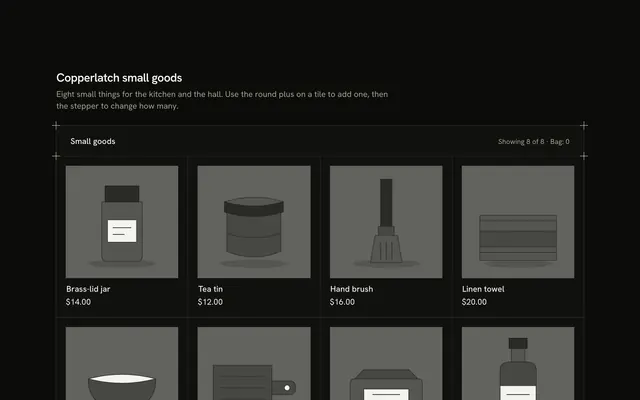
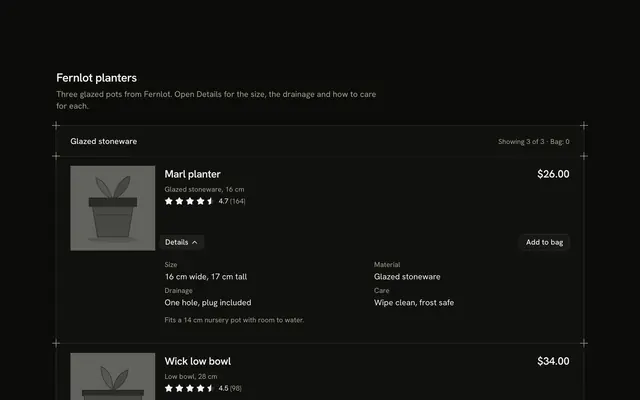
Let shoppers choose how much to see with this product card grid for React with React Aria. A hairline frame with a plus mark on each corner holds eight tiles between shared hairlines. A Toggle Group at the end of the header picks 2, 3 or 4 across, and each tile follows the density it is given: four across drops the stars and turns Add into a named icon Button, three across is the full tile with drawn picture, name, fact, read-only Rating stars, price and Add, and two across lays each tile out sideways and adds a one-line description. The heading row keeps saying "Showing 8 of 8" and counts the "Bag", Add turns into "Added" with an Undo, and a polite status line says what changed. On a phone the grid is always two across and the switch is hidden. Nothing is stored or bought. Guides rule the bands. For category pages, collections and any grid where a shopper wants a say in the density.
FAQ
How do I change the products?
Edit PIECES. Each has an id, a name, a short meta line, a description for the two-across layout, the price in cents, an average in tenths with a reviews count, an alt sentence and the shapes that draw the picture. Prices go through one money helper.
What changes between 2, 3 and 4 across?
The columns, and the tile. Two across lays the picture and the text side by side and shows the description. Three across is the full tile. Four across hides the stars and shrinks Add to an icon button whose name stays "Add to bag" for screen readers. The tiles are the same set, so the count stays "8 of 8" and nothing is filtered.
Why is there an empty cell at three across?
Eight tiles don't fill three columns, so the last row would show the hairline color through the gap. A blank cell in the card color finishes the grid, hidden from assistive technology.
What stays local, and how do I wire it for real?
The density and the bag are page state; nothing is stored, charged or sent. Replace the body of add and undo with calls to your cart, and save the density wherever your project keeps preferences. The pictures are typed shapes: swap Picture for an img of each product.
How does it look on a phone?
Always two across, whatever the switch says, because a third column would be too narrow to read. The switch is hidden below the small breakpoint. Names clamp to two lines and prices never wrap.
Is it accessible?
The switch is a named group of toggle buttons that works with the arrow keys, and each button says "2 across", "3 across" or "4 across". Each picture is a named image, each tile has an h3, and the buttons name their product. Changing the density is announced by the polite status line.