shadcn.io is an independent project built on shadcn/ui
Installation
Overview
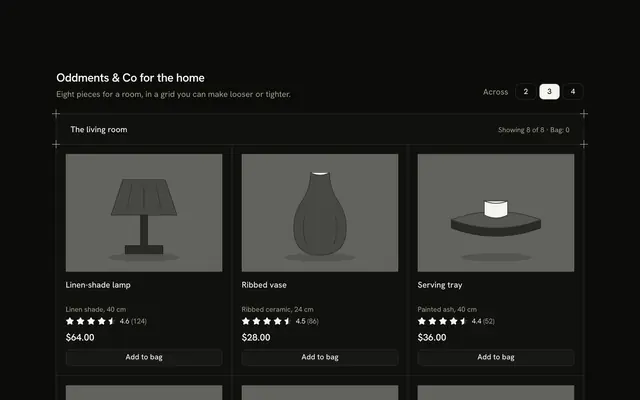
Lay products out as rows with this horizontal product card list for React with Ark UI. A hairline frame with a plus mark on each corner holds three cards, each opened by its own Guides rule. A card has a drawn greyscale picture at the start and, beside it, the name, a one-line fact, read-only Rating stars with the average and the count, the price and an outline Button that says "Add to bag". The card switches layout by its own width with a container query: the picture is 5 rem wide with the price and button under the text on a narrow card, and 9 rem with the price and button at the end on a wide one. A "Details" button under the stars opens that card's four facts and a line of advice in place; one card is open at a time, the first on load, and the block never changes height because a hidden copy of a panel shrinks as the open one grows. Add turns into "Added" with an Undo, the heading row's "Bag" count follows and a polite status line says what changed. Nothing is stored or bought. For product lists, search results and any shop whose products need a few facts.
FAQ
How do I change the products?
Edit POTS. Each has an id, a name, a one-line meta, the price in cents, an average in tenths and a reviews count, four facts (a term and a value), an advice line, an alt sentence and the shapes that draw the picture. The facts panel is generated from facts, so a product can have any four.
How does Details work?
It is a button with aria-expanded and aria-controls. Pressing it opens that card's panel and folds the one that was open; pressing the open card's button closes it. A folded panel is inert, so its text can't be tabbed to. The panel grows with a CSS grid-row transition that is switched off under reduced motion.
Does the page jump when a card opens?
No. A hidden copy of a panel sits under the list and shrinks by the amount the open one grows. When every card is closed it takes the space of one open panel. Keep the four facts to about the same length so the copy stays accurate.
What stays local, and how do I wire it for real?
The bag and the open card are page state; nothing is stored, charged or sent. Replace the body of add and undo with calls to your cart and keep the status line for the result. The pictures are typed shapes: swap Picture for an img of each product.
How does it look on a phone?
Each card narrows by its own width: a small picture beside the name, stars and Details button, and the price with the Add button on a row under them. The panel opens beneath the card at the full width.
Is it accessible?
Each picture is a named image, each card has an h3, and the buttons say which planter they act on ("Add to bag Marl planter", "Details of Marl planter"). Opening a panel is announced by the polite status line. Everything works from the keyboard and the stars are hidden because the text beside them says the same thing.