shadcn.io is an independent project built on shadcn/ui
Installation
Overview
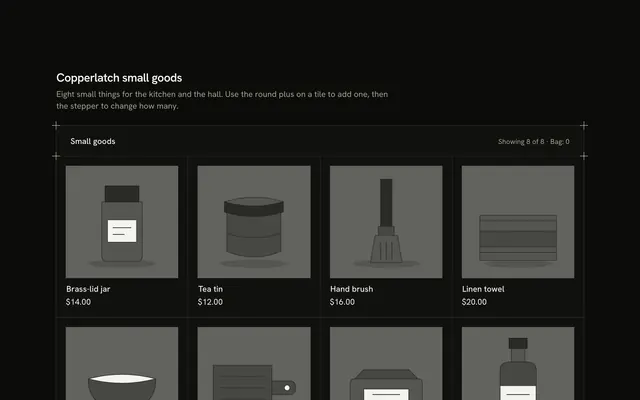
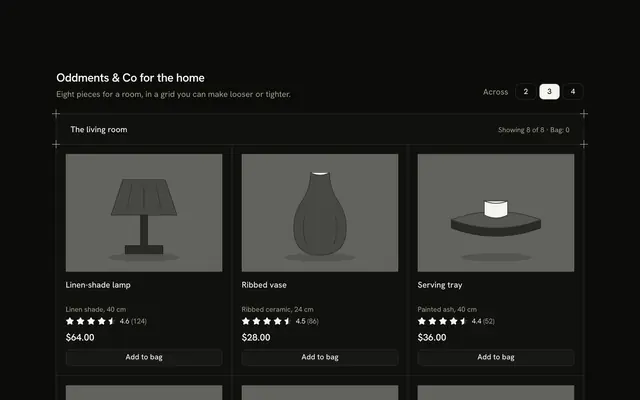
Show a small range the plain way, with this simple product card section for React with Ark UI. A hairline frame with a plus mark on each corner holds four tiles between shared hairlines, two across on a phone and four from the small breakpoint. Each tile has a drawn greyscale picture, one outline Badge on the new piece, a name, a one-line fact, read-only Rating stars with the average and the count written out, the price and an outline Button that says "Add to bag". Pressing it turns the button into "Added" with an Undo beside it, the heading row's "Bag" count follows and a polite status line names the piece. The bag is local state: nothing is stored, charged or sent, and every tile keeps its height through the change. Guides rule the bands. It's built from Button, Badge, Rating and Guides, with a CSS entrance only. For product listing pages, category shelves and any shop that starts with its cards.
FAQ
How do I change the products?
Edit PRODUCTS. Each has an id, a name, a one-line meta, the price in cents, an average in tenths (46 reads 4.6), a reviews count, an alt sentence for the picture and the shapes that draw it. Prices go through one money helper and stars are drawn to the nearest half from the average.
Where are the photos?
There are none. Each picture is a few typed shapes drawn in greyscale foreground tones, so it follows light and dark themes. Replace the Picture component with an img of your product (keep the alt text and the square box) and nothing else in the tile changes.
What does Add to bag do?
It stays on the page. The tile shows "Added", an Undo button appears next to it and the heading row counts the pieces in the bag. Nothing is stored and nothing is bought. Wire add and undo to your cart (a server action, a cart store or an API call) and keep the same status line for the result. Pressing Undo moves focus back to that tile's Add button.
Are the stars interactive?
No. They are read-only and hidden from assistive technology, because the text beside them ("4.6 (212)" with "out of 5, from 212 ratings" for screen readers) says the same thing. A product card shows an aggregate; collecting ratings belongs in a reviews form.